 TreiD
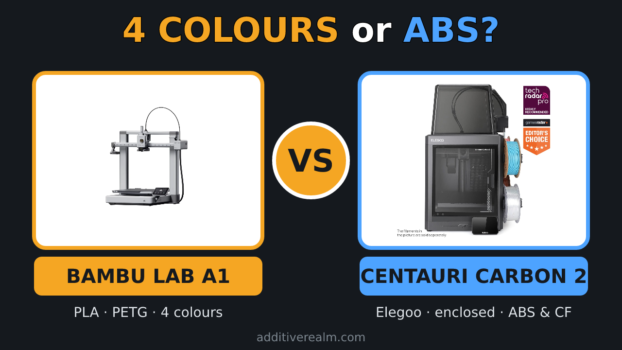
Bambu Lab A1 vs Elegoo Centauri Carbon 2 comes down to open versus enclosed. For PLA and PETG with colour from day one, get the A1 Combo: it bundles the AMS Lite for up to four colours. For ABS, ASA and carbon-fibre filament, the enclosed Centauri Carbon 2 is the better machine, and Bambu Lab itself lists all three as not recommended on the A1. I’ve built this comparison around the Centauri Carbon 2 because Elegoo’s original Centauri Carbon is being sold off, and both its EU and US store pages now open the newer model instead.
AdditiveRealm has not physically tested either printer. When I talk about my own printing below, it’s on the Bambu Lab P1S I own, never on these two. A1 specs come from Bambu Lab’s A1 technical specifications, the Centauri Carbon 2’s from Elegoo’s Centauri Carbon 2 page and the AdditiveRealm database, and every price was read on the maker’s own store on 13 Nov 2026.
Bambu Lab A1 vs Elegoo Centauri Carbon 2: The Short Answer for a First Printer
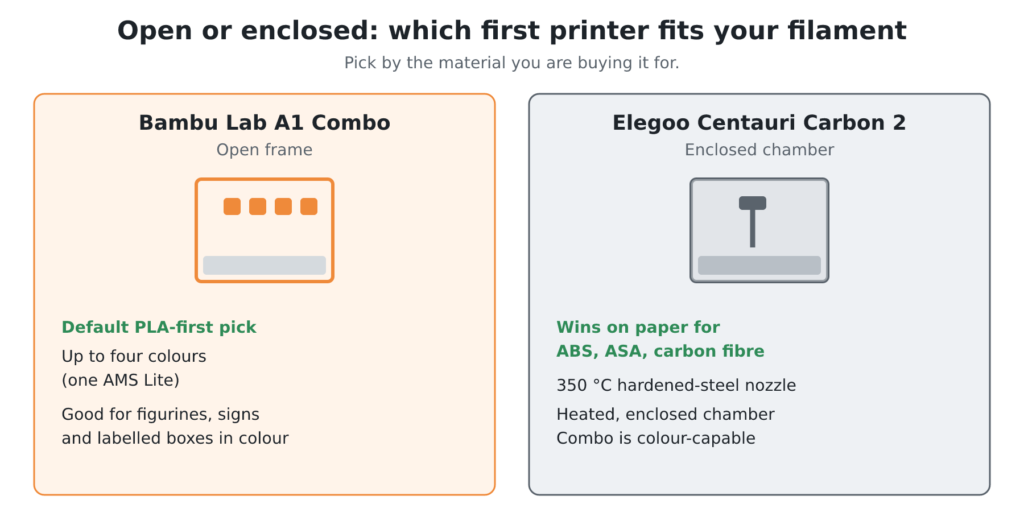
My default pick for a PLA-first beginner is the A1 Combo. Bambu Lab’s AMS lite page says the A1 connects to only one AMS Lite, so the Combo prints four colours at most. For a first printer that’s a big deal, because figurines, signs and labelled boxes look far better in two to four colours than in one.
If ABS, ASA or carbon fibre is the reason you’re buying, the enclosed Centauri Carbon 2 wins on paper. It ships with a 350 °C hardened-steel nozzle and a heated, enclosed chamber, and Elegoo sells it on pre-order at €309, with the colour-capable Combo at €359.
Spec Sheet Side by Side: Open Bed-Slinger vs Enclosed CoreXY
A1 figures come from Bambu Lab’s spec page. The Centauri Carbon 2’s come from Elegoo’s product page and match the AdditiveRealm database.
| Spec | Bambu Lab A1 | Elegoo Centauri Carbon 2 |
|---|---|---|
| Frame | Open bed-slinger | Enclosed CoreXY |
| Build volume | 256 × 256 × 256 mm | 256 × 256 × 256 mm |
| Max hot end / bed | 300 °C / 100 °C | 350 °C / 110 °C |
| Max speed | 500 mm/s | 500 mm/s |
| Max acceleration | 10,000 mm/s² | 20,000 mm/s² |
| Stock nozzle | 0.4 mm stainless steel | 0.4 mm brass-hardened steel |
| Multicolour | Up to 4 with one AMS Lite | Up to 4 with the CANVAS add-on |
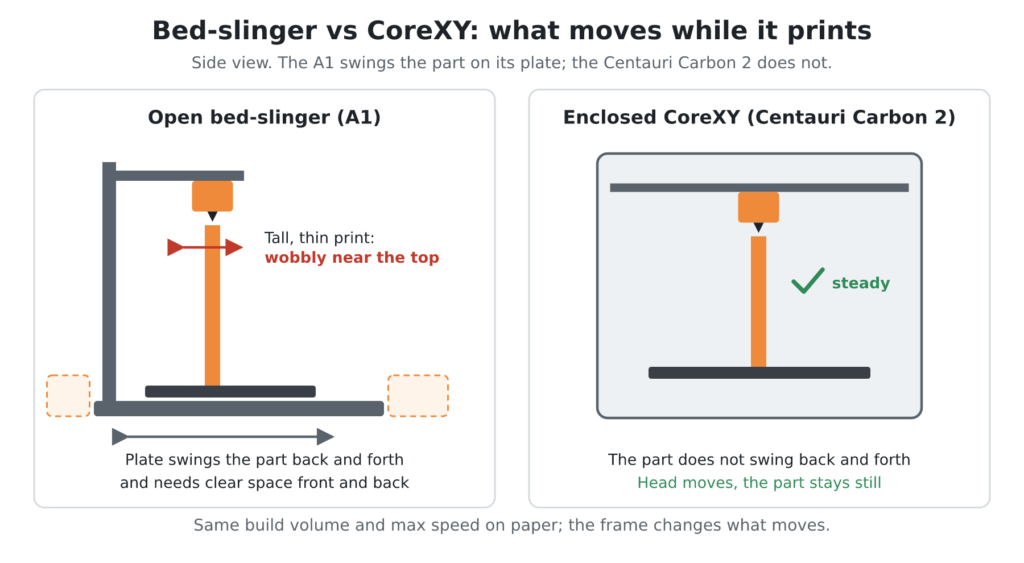
The numbers miss one thing. A bed-slinger swings the whole part back and forth, so tall, thin prints get wobbly near the top, and the plate needs clear space front and back. My CoreXY vs bed slinger post has the 250 mm rule I use for that call. On my P1S, an enclosed CoreXY, I’ve printed ABS, ASA and PETG with the door closed and no problems, though you could smell the fumes in the room.
Our Centauri Carbon 2 Combo listing carries its full spec sheet, and Compare 3D Printers puts both machines side by side.
What You Can Print on Each: PLA and PETG vs ABS, ASA and Carbon-Fibre Filaments
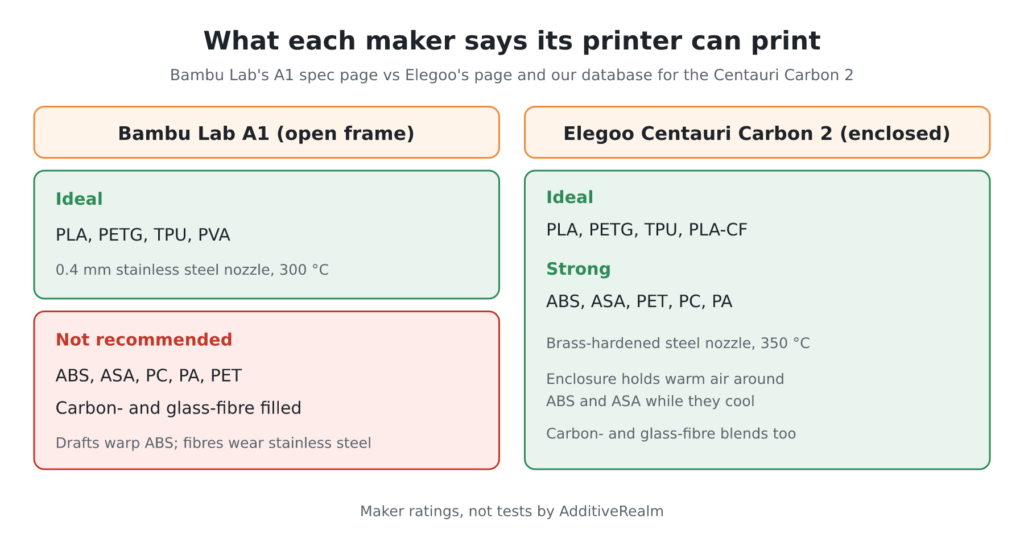
The A1’s open frame sets the limit. Bambu Lab rates PLA, PETG, TPU and PVA as ideal on it, and lists ABS, ASA, PC, PA and carbon- or glass-fibre filled filaments as not recommended. ABS and ASA shrink as they cool, and on an open bed-slinger drafts pull the corners of larger parts off the plate. Small ABS parts can survive; my ABS without an enclosure post covers which parts fail, which survive, and a 4-bar test to find your own limit.
Carbon-fibre filament is the other wall. The fibres are abrasive and wear a stainless steel nozzle like the A1’s stock one, so the bore opens up and extrusion drifts. On my P1S, in about 1,617 hours, the only parts I’ve changed are hardened ones (nozzle or extruder gears) for the carbon-fibre filament I print, plus the AMS’s PTFE tube. My hardened steel nozzle post compares four nozzle materials for that job.
The Centauri Carbon 2 is built for both jobs. Its enclosure holds warm air around ABS and ASA parts while they cool, and Elegoo ships it with a 0.4 mm brass-hardened steel nozzle on a 350 °C hot end. Its spec sheet rates PLA, PETG, TPU and PLA-CF as ideal and ABS, ASA, PET, PC and PA as strong, so carbon- and glass-fibre blends are on the menu too. An enclosure doesn’t remove the smell, though, so give it a room you can air out.
Multicolor: What the A1 Combo’s AMS Lite Adds, and Where the Centauri Carbon 2 Stands
Four colours changes what a beginner actually makes. Two-tone keychains, signs with raised lettering, labelled storage boxes and figurines come off the plate finished, with no paint and no glue. The ceiling is real, though: with one AMS Lite, a model drawn in five or more colours has to be merged down to four. Bambu Lab’s A1 store page notes that the larger AMS units connect only through a separate AMS HUB accessory.
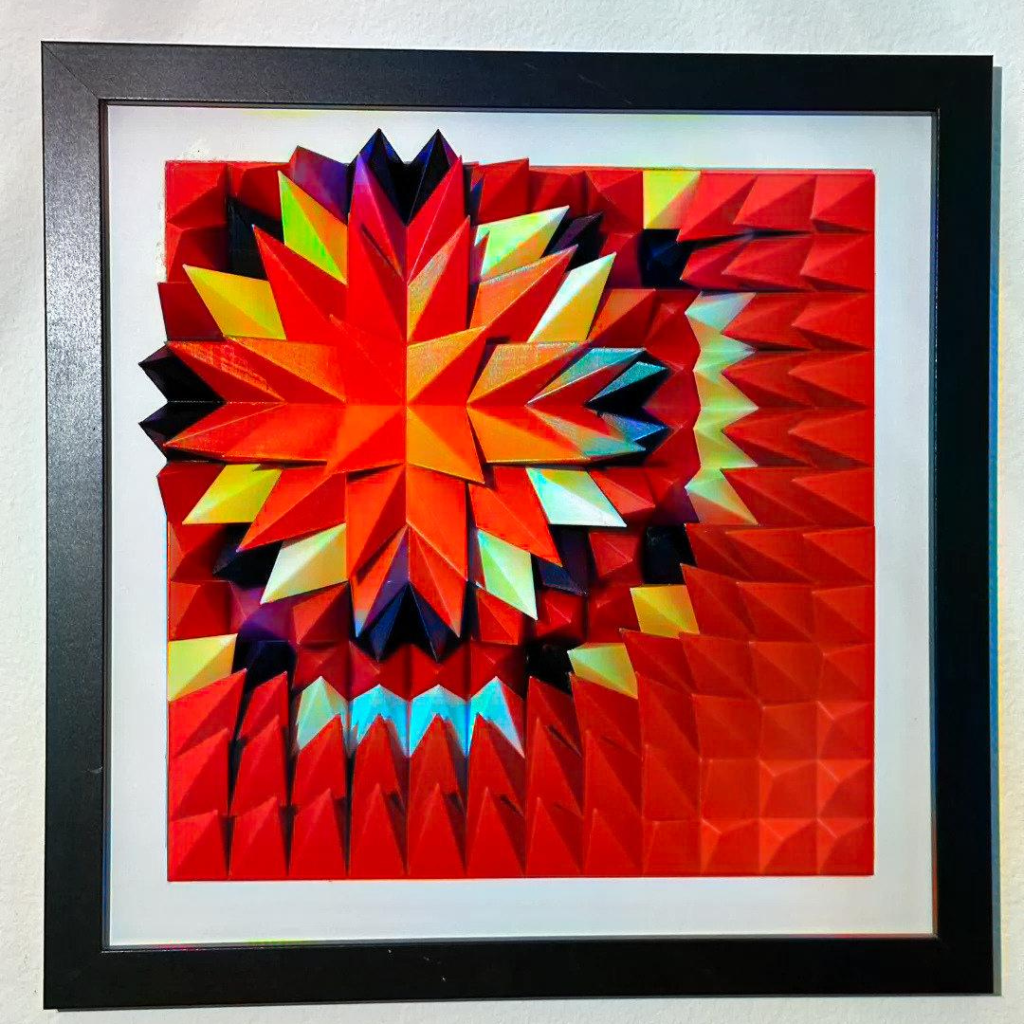
Colour costs filament and time. Every swap cuts the old strand, loads the new one and purges the mixed plastic before printing carries on, so a multicolour part wastes material and runs much longer than the same part in one colour. Fewer colour changes per layer keep both in check.
My own reference is the full AMS on my P1S, not the AMS Lite. My longest print there was a set of 10 multicolour figurines that took 40 hours, and I keep the standard purge volume, because the purge-reducing tweaks leave more room for clogs. Swaps fail on me less than 10% of the time, mostly on spool shapes the AMS doesn’t suit.
The Centauri Carbon 2 reaches four colours a different way. On its own it prints a single colour, but Elegoo builds it “multicolour upgrade ready” for the CANVAS system, which feeds up to four colours and is sold separately at €104.50. The Centauri Carbon 2 Combo bundles CANVAS in the box, and that’s the version that lines up against the A1 Combo.
Your First Week: Setup, Calibration, Slicer and Noise for a Beginner
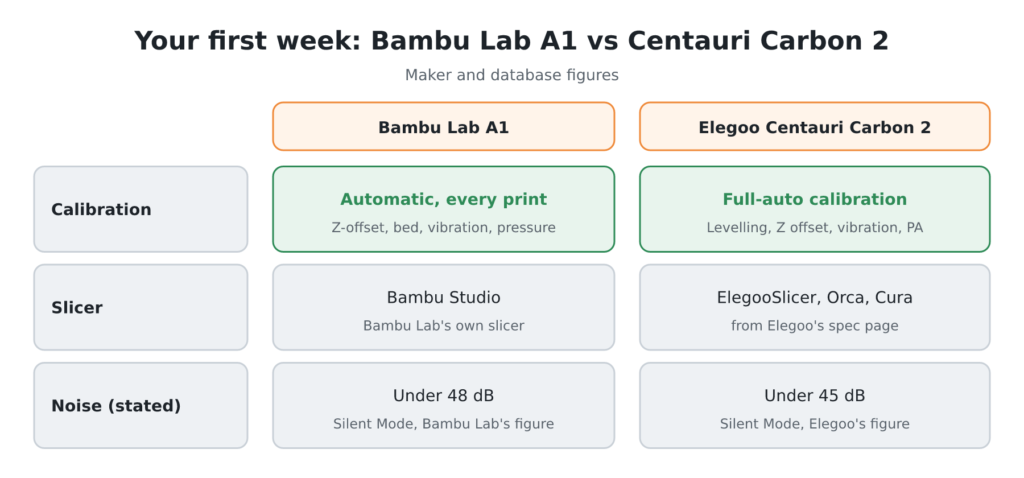
Both printers calibrate themselves. Bambu Lab says the A1 calibrates its Z-offset, bed level, vibration resonance and nozzle pressure for every print. Elegoo lists full-auto calibration for the Centauri Carbon 2, with 121-point auto-levelling, auto Z offset, vibration compensation and pressure advance.
On the A1 you slice in Bambu Studio, Bambu Lab’s own slicer. It’s also the slicer I reach for most with my P1S, ahead of OrcaSlicer, and coming from Klipper and Mainsail on my other machines I don’t miss anything. For the Centauri Carbon 2, Elegoo lists ElegooSlicer, Orca and Cura as compatible.
On noise, I have no measurements of my own. Bambu Lab quotes under 48 dB for the A1 in Silent Mode on its product page (its store page says 49 dB), and Elegoo rates the Centauri Carbon 2 at under 45 dB in Silent Mode. Either way, a printer moving at speed shakes a light table: my enclosed P1S still does, and while you can work in the same room, you could not sleep there. Put either printer on a heavy, solid surface.
The Real Cost: Bundles, Spare Hotends, Plates and Filament
Every price here was read on the maker’s own store on 13 Nov 2026, during Bambu Lab’s and Elegoo’s Black Friday sales, so expect them to move. The table is the EU store in euros; the US note sits under it. Check again on the day you buy.
| Item | Price (13 Nov 2026) | Note |
|---|---|---|
| A1 | €239 | Lowest in the past 30 days: €259 |
| A1 Combo (with AMS Lite) | €339 | Lowest in the past 30 days: €369 |
| Centauri Carbon 2 | €309 | Was €349; pre-order, ships 16 Dec 2026 |
| Centauri Carbon 2 Combo (with CANVAS) | €359 | Was €439; pre-order |
| A1 hotends kit, 0.2 + 0.6 mm | €20.38 | 15% off €23.98 |
| A1 Cool Plate SuperTack | €24.49 | 30% off €34.99 |
| Bambu PLA Basic, 1 kg | €10.59 | €19.99 normally |
Where to buy, by region: Bambu Lab sells the A1 and A1 Combo on its own store, which ships across the EU and the US, so open it from your own country for local pricing. On the US side, Elegoo’s US store lists the Centauri Carbon 2 Combo at $369 (down from $449) as of 13 Nov 2026, with the printer on its own at $319.

Beyond the printer, here’s what I’d budget for. A spare 0.4 mm hotend keeps one clog from parking you for a week; Bambu Lab sells the A1’s spare sizes as complete hotends, not loose nozzles. A second plate lets you clean one while the other prints, and two or three spools get you through the first month of learning.
On the Elegoo side, check what your bundle ships with first. Compare 3D Printers is the quickest place to start, but the official store price is the one you’ll actually pay.
Why the Centauri Carbon 2, Not the Original, and the Other Rivals
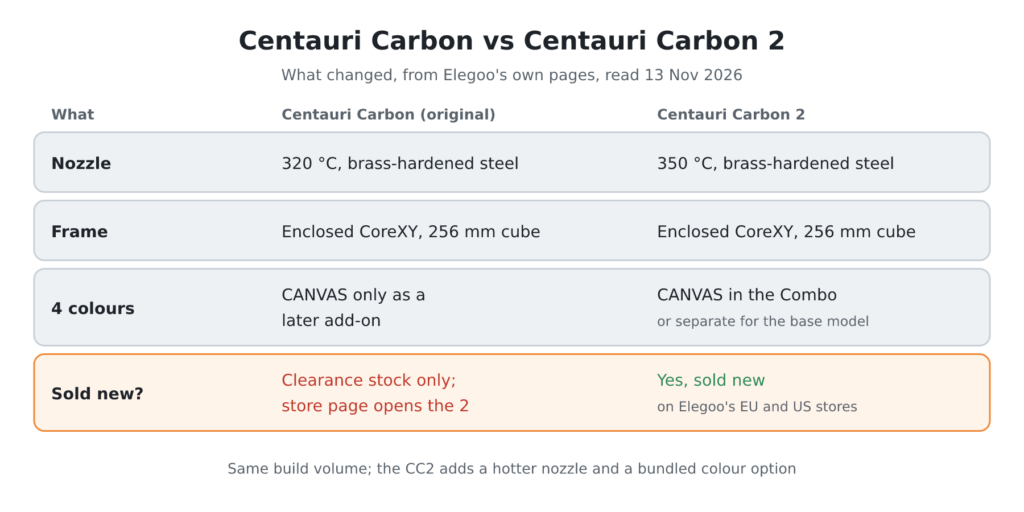
The original Centauri Carbon is on its way out. On 13 Nov 2026, Elegoo’s EU store address for it opens the Centauri Carbon 2, and its US address opens the Centauri Carbon 2 Combo. JC Printfarm’s 2026 Centauri Carbon review saw the same on 16 Sep 2026: the old US product address already redirected to the Combo. What’s left of the original is clearance stock, not a restock, so the Centauri Carbon 2 is the one a new buyer can actually order.

The upgrade is real, not just a name. The Centauri Carbon 2 keeps the enclosed CoreXY frame and 256 mm cube, but moves to a 350 °C nozzle from the original’s 320 °C, adds a 5-inch screen, clog detection and a smart exhaust grille, and drops its rated noise to under 45 dB. Its Combo bundles the CANVAS four-colour system, which the original only ever got as a later add-on. If you still want the original, buy only a listing marked new, from Elegoo or a major retailer with a normal warranty.
In the same enclosed class, I’d line up the Bambu Lab P1S, the Bambu Lab P2S, the Creality K1C, the Anycubic Kobra S1 and the QIDI Q2. The P1S is my number one printer, and it’s the one I’d hand to someone short on money. Buying today, I’d pick the P2S for its touchscreen, AI failure detection and easier nozzle swap. I’ve left the Prusa CORE One out because it sits in a higher budget class than this pair.
On the open multicolour side, closer to the A1 Combo, the rivals are Elegoo’s own Centauri 2, an open-frame CoreXY with optional multicolour, plus the FlashForge AD5X, the Creality Hi Combo and Anycubic’s Kobra 3 Combo (the Comparison chart carries the Kobra 3 V2). I haven’t checked these prices on the makers’ own stores for this post, so I’m not quoting them. Check each on its official store, and confirm it’s still sold new, on the day you buy.
Which One to Buy: Match the Printer to What You Plan to Print
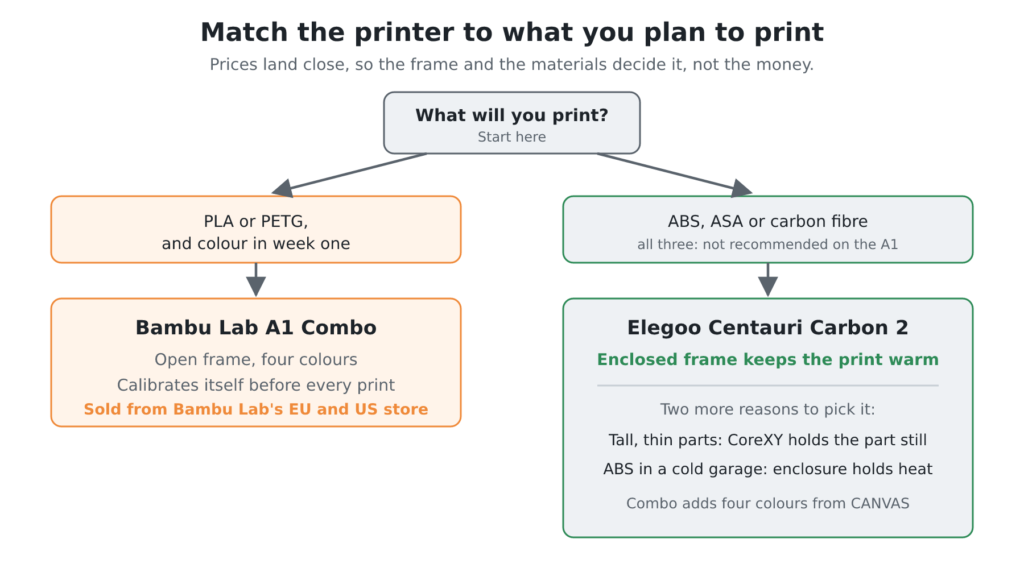
Buy the A1 Combo if PLA and PETG are the plan and you want colour in week one. At €339 on Bambu Lab’s EU store (13 Nov 2026), it gets a beginner printing in four colours, and it calibrates itself before every print. Bambu Lab ships it from its own store in both the EU and the US.
Buy the Centauri Carbon 2 if ABS, ASA or carbon fibre is the plan, since Bambu Lab lists all three as not recommended on the A1. It’s €309 on Elegoo’s EU store on pre-order, or €359 as the Combo if you want four colours from CANVAS in the box. Both land close to the A1 on price, so the frame and the materials decide it, not the money.
One tie-breaker for the Bambu Lab A1 vs Elegoo Centauri Carbon 2 call: if most of your parts are tall and thin, the Centauri Carbon 2’s CoreXY layout keeps the part still while the toolhead moves over it, where the A1 swings the whole part back and forth with its bed. The same goes for ABS in a cold garage or shed, where the enclosure is what keeps the print warm.
Either way, read our Bambu Lab A1 review and the Centauri Carbon 2 listing before you click buy.
Sources
- Bambu Lab: A1 technical specifications
- Bambu Lab: A1 product page
- Bambu Lab EU store: Bambu Lab A1 3D Printer
- Bambu Lab EU store: AMS lite
- Elegoo: Centauri Carbon 2 Combo product page
- Elegoo EU store: Centauri Carbon address (now the Centauri Carbon 2)
- Elegoo US store: Centauri Carbon address (now the Centauri Carbon 2 Combo)
- JC Printfarm: Elegoo Centauri Carbon Review (2026)