 TreiD
TreiD
Introduction
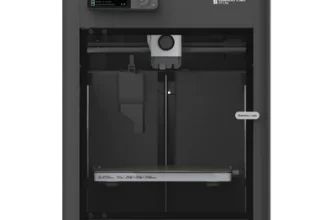
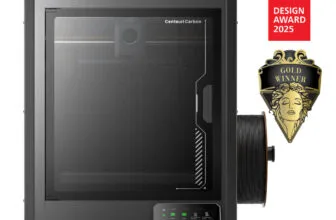
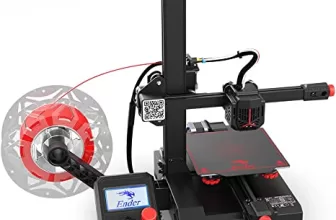
The Creality Ender 3 3D printer has established itself as a prominent player in the dynamic world of 3D printing. Renowned for its reliability and ability to deliver impressive prints, the Ender 3 once stood out as an exceptional choice. However, in today’s market landscape, where alternatives like the Bambu Lab A1 Mini, Elegoo Neptune series, and Sovol printers cater to beginners more effectively, reconsideration is warranted.
A decent printer for it's time
In conclusion, the Creality Ender 3, once a standout option, faces stiff competition in the evolving 3D printing landscape.
- Printing quality4
- Ease of use3
- Build quality5
- Printing speed2
- Community support9
- Features5
- Reliability4
- Customer support1
- Pro: Good price
- Pro: A printer fit for "tinkerers"
- Pro: Compact Design
- Con: 2 full hours of assemble
- Con: The reliability is not a part of this 3D printer
Hands-on review by TreiD: his own printer, prints and measurements. How we score Affiliate disclosure
Best price: ≈ €170 $189 at Creality store (checked 12 Oct)
Where to buy ↓I bought my Ender 3 Pro in 2019, and every “In my experience” below comes from that machine. The Pro is this printer with a 40×40 aluminium Y-axis extrusion, a Meanwell power supply, a removable C-MAG magnetic bed and larger leveling nuts (Creality: Ender-3 vs Ender-3 Pro, the difference). The parts my notes are about, the plastic extruder arm, the V-wheels, the Z axis and the board, are not on that list of changes.
Performance breakdown
Printing Quality
In my experience, 0.2 mm was the layer height I used the most. Z-wobble was the flaw I struggled with the most. I printed a calibration cube and it was 0.2 to 0.4 mm off, depending on how often I was doing maintenance.
Score: 4/10 · On our review scoring, printing quality 4 means: Subpar print quality, occasional imperfections or visible defects. (Surface Finish: Subpar, Detail Accuracy: Subpar)
Measured: calibration cube 0.2-0.4 mm off, with visible Z-wobble, on my Ender 3 Pro at 0.2 mm layers (reported 2026-10-12).
⚠ Estimate: surface finish was judged by eye, not measured.
Ease of use
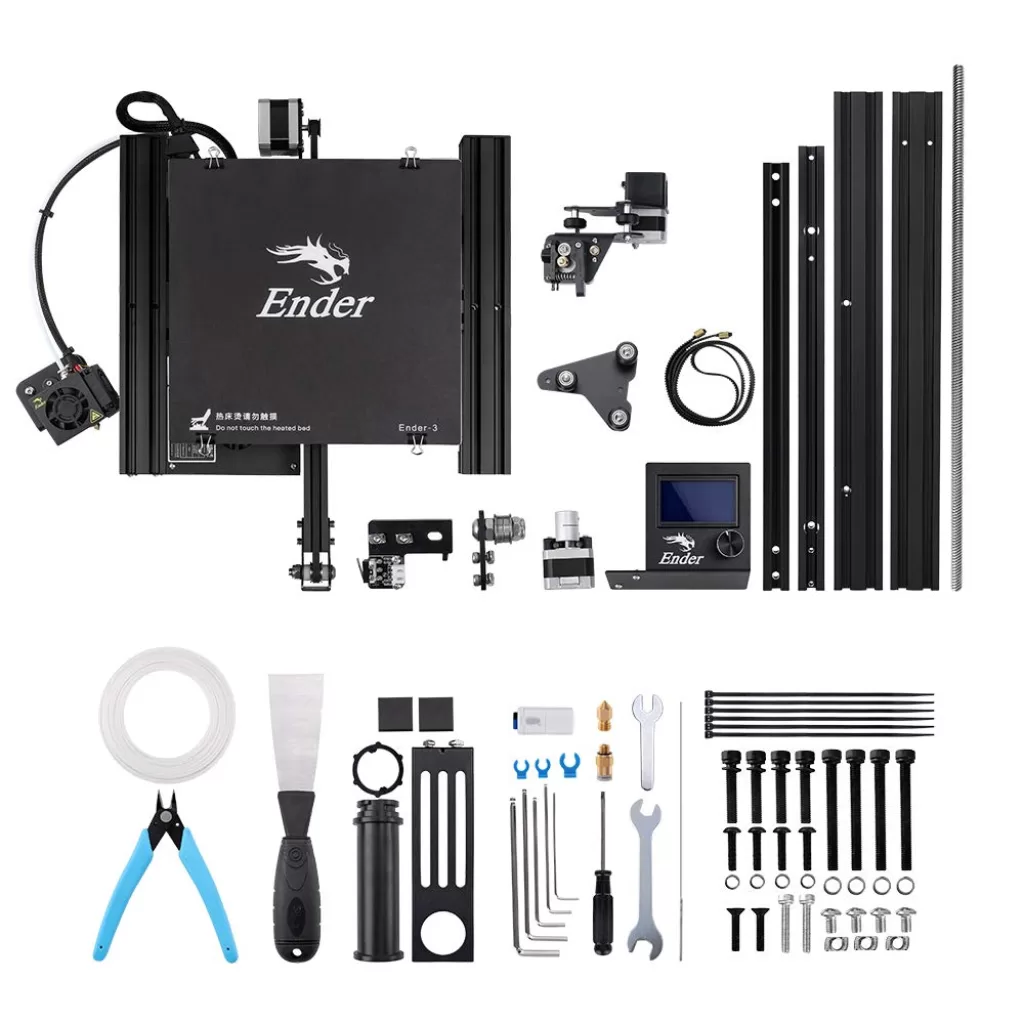
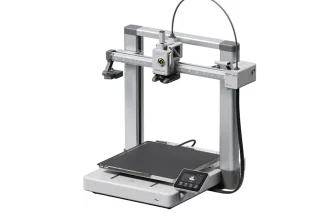
The Creality Ender 3, a pre-assembled 3D printer kit, targets both beginners and enthusiasts seeking affordability. Despite its reputation for consistency, this printer demands a fair amount of tinkering before optimal functionality is achieved. In contrast to the AnkerMake M5, requiring a mere 20 minutes for setup, the Ender 3 leans more towards being labeled as semi-assembled due to its extended assembly time.
The assembly process, detailed in a concise booklet accompanying the printer, encompasses 12 steps. While seemingly straightforward, some steps lack detailed explanations, prolonging the assembly time. A comprehensive breakdown of the process includes frame assembly, X-axis assembly, belt installation, machine assembly, and wiring. Factoring in bed leveling, the entire procedure takes a novice approximately 1-2 hours to complete.
In my experience, the step that mattered most was making sure the Z axis was 100% aligned, a step a lot of other content creators mention too. Bed leveling took me about two passes, and after that it needed leveling again roughly every 10 prints. My LCD never froze or reset.
In 2019 the kit format was a good thing, because most printers came unassembled and you learned the way a 3D printer works. That meant you could pinpoint a problem, and if something broke, you knew how to disassemble it.
Score: 3/10 · On our review scoring, ease of use 3 means: Lengthy setup, moderate difficulty in calibration. (Setup Time: 90-100 minutes, Calibration Process: Moderate, User Interface: Moderate)
Measured: assembly 1-2 hours for a novice; manual re-leveling about every 10 prints on my Ender 3 Pro (reported 2026-10-12).
⚠ Estimate: a full 2-hour assembly would fit the 100-120 minute setup time of a 2; the score stays 3 because the interface and the leveling were moderate, not complex.
Build Quality
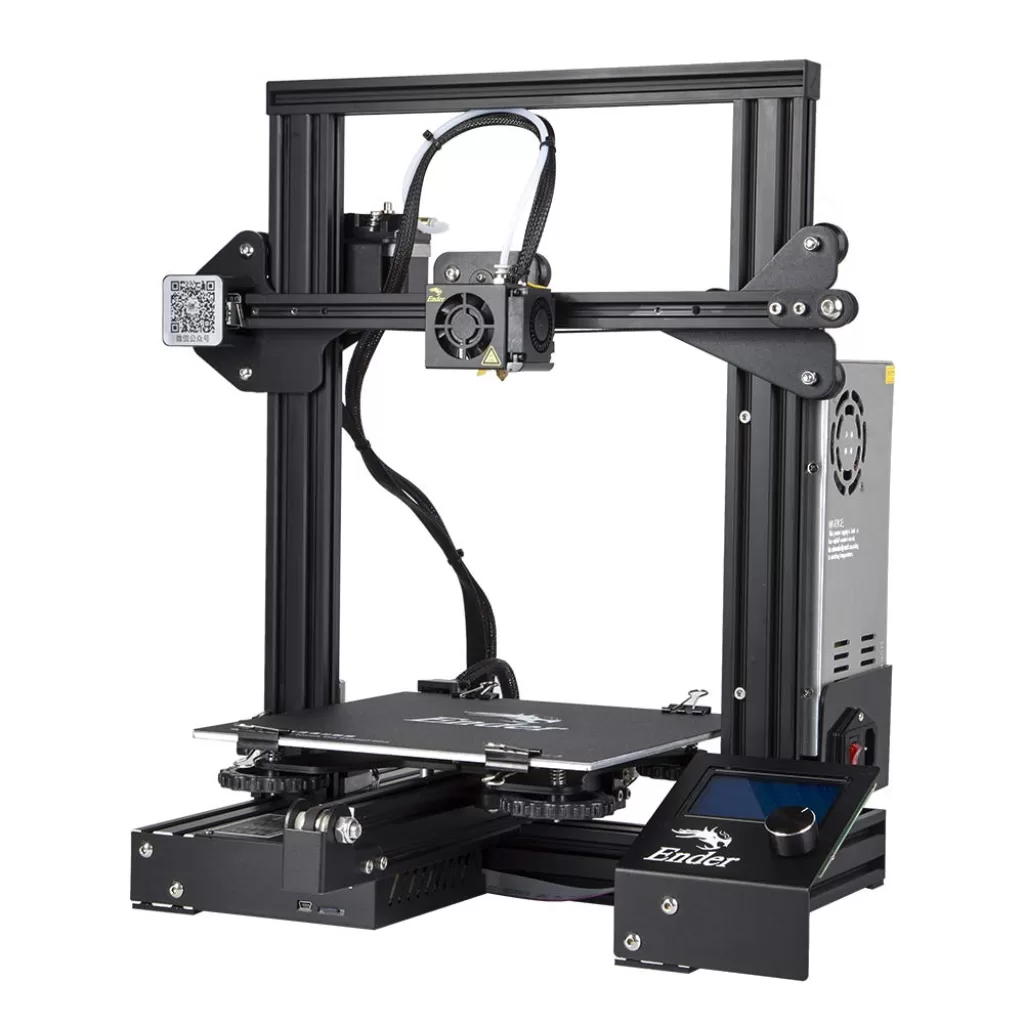
The Creality Ender 3 boasts a minimalist design akin to the CR-10, albeit in a more compact form with an attached control panel. The built-in base housing the motherboard and power supply enhances stability. V-slot wheels running along aluminum profiles facilitate smooth movement during printing. Critically, some reviewers highlight a minor wobble in the printer’s base and occasional loosening of the X-axis belt.
Equipped with a standard extruder featuring plastic arms, the Ender 3 faces durability challenges after extended printing hours. The manual bed leveling process utilizes large screws, and the LCD panel, despite offering diverse settings, may exhibit instability.
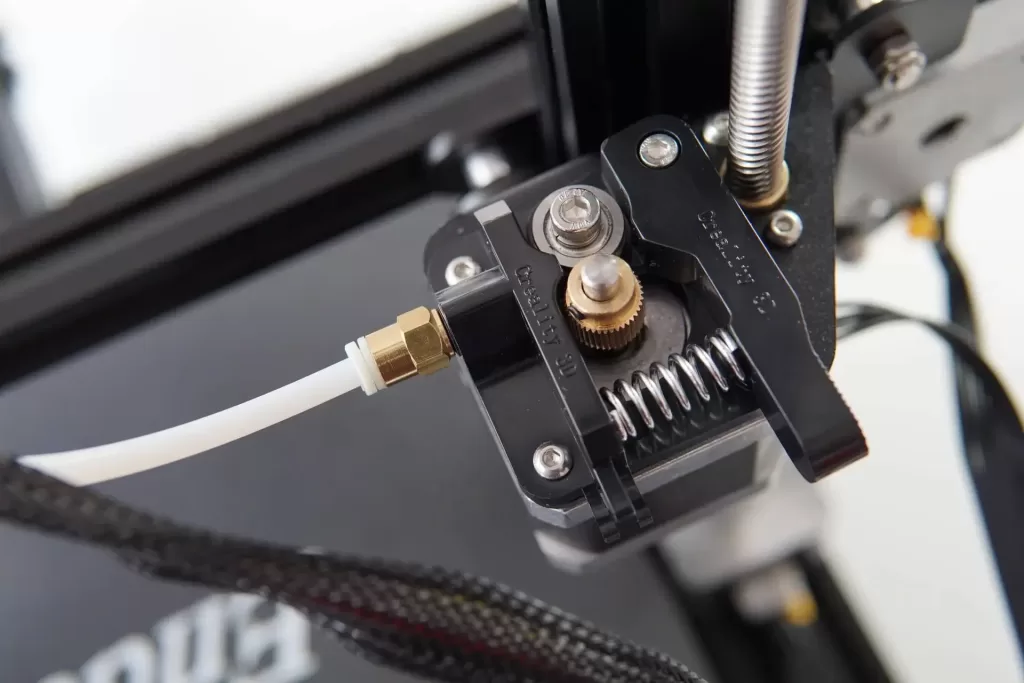
In my experience, the plastic extruder arm did crack, after around 35 hours of printing. The base didn’t wobble on mine, which may be the Pro’s wider 40×40 Y extrusion. It came without an X-belt tensioner, so I had to buy a separate one. I also changed the V-wheels, and swapped the bed springs for the yellow, sturdier ones.
Score: 5/10 · On our review scoring, build quality 5 means: Adequate build quality, standard materials. (Frame Material: Adequate, Component Durability: Adequate, Vibration Resistance: Adequate)
Measured: plastic extruder arm cracked at around 35 hours; V-wheels and bed springs replaced; X-belt tensioner bought separately, on my Ender 3 Pro (reported 2026-10-12).
⚠ Estimate: frame stiffness and vibration were judged in use, not measured.
Printing Speed
In my experience, on the stock board I ran 60 mm/s for perimeters, 30 mm/s for outer perimeters and 150 mm/s for travel, and quality started to drop above 80 mm/s. After I upgraded the motherboard and installed Klipper with input shaping, the speed went up to 170 mm/s for perimeters, 200 mm/s for infill and 300 mm/s for travel. With Klipper, my timed test print took 1 hour 16 minutes.
Those Klipper numbers belong to a modified printer. The score below is for the Ender 3 as sold, which our database rates at 60 mm/s maximum.
Score: 2/10 · On our review scoring, printing speed 2 means: Very slow print speed, low efficiency. (Print Speed: 50-60 mm/s, Max Speed: 100-150 mm/s, Default Acceleration: 500-600 mm/s², Max Acceleration: 1000-1200 mm/s², Efficiency: Very Poor)
Measured: manufacturer spec max 60 mm/s; on stock firmware I printed perimeters at 60 mm/s and quality dropped above 80 mm/s (reported 2026-10-12).
⚠ Estimate: acceleration was not recorded. The usable top speed of about 80 mm/s is below this score’s 100-150 mm/s max speed. With a new board, Klipper and input shaping, my 170 mm/s perimeters would score about 6.
Community Support
In my experience, the community was very big, with a lot of mods and help you could find anywhere; in 2019 it was one of the biggest communities you could find. The community upgrade that helped me most was the hotend airflow upgrade.
Score: 9/10 · On our review scoring, community support 9 means: Massive community, comprehensive resources and quick support. (Online Community Size: >15000 users, Availability of Guides: Comprehensive, Responsiveness in Forums: <6 hours)
Measured: Facebook Creality Ender Series – User Group 30.8K members; Discord Creality 3D Official 24.7K members (3.3K online), brand-wide; Forum forum.creality.com 37.1K members (2.3K active in 30 days), brand-wide; Facebook Creality Official User Group 152K members, brand-wide (counted 2026-10-12).
⚠ Estimate: community size is counted (size alone fits 10); guide quality and forum response time are the author’s estimate.
Features
For those fortunate enough to acquire the Creality Ender 3, it stands as an affordable 3D printer catering to individuals keen on exploring the intricacies of building and tinkering. The printer mirrors the CR-10’s design with aluminum extrusions forming the frame, yet it distinguishes itself with a closed frame design. Boasting a heated print bed measuring 220 x 220 x 250 mm, nearly double that of the Ender 2, this printer supports the resumption of printing after power loss. The compact and portable LCD screen with a rotary encoder adds to its allure.
Creality published the Ender 3’s Marlin firmware, mechanical files and PCB files under the GPL-3.0 licence (Creality3DPrinting: Ender-3 repository on GitHub). That openness is why so many upgrades exist for it.
In my experience, mine was the later version, with thermal runaway protection enabled. I upgraded it with a silent board, a metal extruder, stiffer springs, a glass or PEI bed, a BLTouch and new firmware, for around $100 in total. For someone used to tinkering, the difficulty was decent.
Power-loss resume did work, but only if the Z axis didn’t drop. I think I had a few prints that resumed without problems, but most of them didn’t, because of the layer shift.
Score: 5/10 · On our review scoring, features 5 means: Good range of features, moderate upgrade options. (Available Features: Good, Upgrade Options: Moderate, Open Source: Yes, External Upgrades: Some, Build Volume: 200 x 200 x 200 mm, Multicolor Printing: Possible, App: No, Offline: Yes, Ventilation: Optional, Filtration: No)
Measured: manufacturer spec: build volume 220x220x250 mm, multicolour no, open source (Marlin, GPL-3.0), SD card printing; my upgrades cost around $100 in total (reported 2026-10-12).
⚠ Estimate: third-party upgrades go well beyond “some”, but there is no multicolour option, which this score lists as possible.
Reliability
In my experience, the failed prints came from the Z-wobble and the poor bed stability. After all the upgrades, and with Klipper installed, the success rate was much higher, around 80%. With Klipper, leveling was done automatically by the BLTouch.
I bought it in 2019, and I think it has around 1,000 hours printed. The longest print was a spine that took almost 30 hours.
Score: 4/10 · On our review scoring, reliability 4 means: Below average reliability, occasional issues with prints. (Success Rate: 60-65%, Consistency: Inconsistent)
Measured: around 80% success on my Ender 3 Pro after about $100 of upgrades and Klipper; around 1,000 hours printed since 2019 (reported 2026-10-12).
⚠ Estimate: the stock success rate was not counted. It was lower, because of Z-wobble and bed stability, so the stock printer stays at 4; the upgraded 80% would score about 7.
Customer Support
In my experience, I never contacted Creality about this printer; they were known to provide little to no customer support. But you had the community to help you out, and a lot of other companies that made mods for the Ender 3 Pro. I did contact Creality about my Ender 2 Pro, and they responded in about 7 days, without solving my issue.
Score: 1/10 · On our review scoring, customer support 1 means: Extremely slow response, ineffective problem resolution. (Response Time: >48 hours, Problem Resolution: Ineffective)
Measured: about 7 days to a first reply from Creality, issue not solved (reported 2026-10-12).
⚠ Estimate: that ticket was for my Ender 2 Pro, not this printer; it is the same brand’s support, and I never needed it for the Ender 3 Pro.
Sum up
I also own a Biqu B1. It came with a bigger bed and Z height, a better main board with a touch screen, a more stable bed, X and Y belt tensioners, better cable management, and it looks more refined. Its community is significantly smaller, though, and that is where the Ender 3 keeps the advantage: the community and the mods available. On both printers I ended up installing a Z belt system, which solved the Z-wobble.
Videos


Where to buy it: