 TreiD
TreiD
Introduction
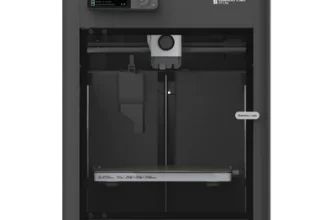
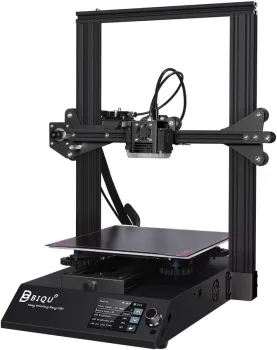
Anticipating the arrival of the vibrant pink Biqu B1 3D printer, I was surprised to receive the black version. Despite the color disappointment, this printer, often underestimated, stands out as one of the most remarkable in its category.
Print with the BIQU B1, a budget printer
Priced attractively at $160, the Biqu B1 3D printer surprises with its impressive features and user-friendly design.
- Printing quality7
- Ease of use6
- Build quality7.5
- Printing speed5
- Community support6.5
- Features6
- Reliability7.5
- Customer support4
- Pro: Feature-Rich for the price
- Pro: Easy to upgrade
- Pro: Good quality prints
- Con: May pose a challenge for beginners
- Con: Lack of detailed explanations in the menu
- Con: Ender 3 clone, Ender 3 problems
Hands-on review by TreiD: his own printer, prints and measurements. How we score Affiliate disclosure
Best price: ≈ €230 $256
Where to buy ↓Brought to you by Biqu, a subsidiary of Big Tree Tech, recognized for premium aftermarket parts, the B1 promises a customizable and advanced printing experience. Priced at $160 (as of December 2022), it offers a dual-UI interface and ample ports for enhanced functionality.
Despite its utilitarian appearance, the Biqu B1 impresses on all fronts. Easily switch between a stock Marlin UI and a sleek touchscreen interface while exploring numerous other features. The Biqu B1 ensures a brief disappointment with its overall performance.
I have owned my B1 since 2022, and every hands-on number below comes from that machine, which has done around 700 hours. In May 2026 I converted it to Klipper with Mainsail as the interface, so several sections compare stock Marlin with Klipper.
Performance breakdown
Printing Quality
On my B1, 0.2 mm was the layer height I used the most, and the finest I printed with was 0.08 mm. When I measured printed parts, they were not far off: around 0.1 mm to 0.2 mm. Z-banding was the flaw that changed, and it changed after I fitted a Z belt mod, not after Klipper. The best-looking print it ever made for me was a trash bin in PLA.
Score: 7/10 · On our review scoring, printing quality 7 means: Good print quality, few imperfections. (Surface Finish: Good, Detail Accuracy: Good)
Measured: finest layer 0.08 mm; printed parts around 0.1-0.2 mm off, on my B1 (reported 2026-10-12, corrected 2026-10-13).
⚠ Estimate: surface finish was judged by eye, not measured. Parts 0.1-0.2 mm off, against BIQU’s stated ±0.05 mm, plus Z-banding on the stock Z axis until the Z belt mod, keep it at “good” rather than “very good” detail accuracy.
Ease of use
B1 assembly: clear instructions, but advanced knowledge required
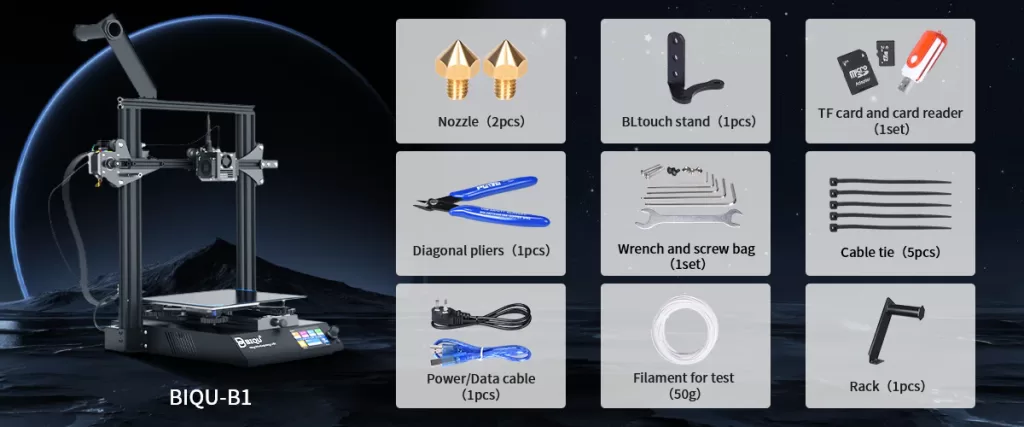
The B1 assembly may not be an entirely DIY kit, but it demands time and some advanced knowledge for component assembly. Clear instructions facilitate the process, with labeled screws and nuts packaged separately for easy identification during each step.
While the B1 menu boasts various options, the absence of explanations for switches and toggles may pose a challenge for beginners. Nevertheless, advanced users can fully utilize the B1’s potential, making it a user-friendly option with caution.
Unboxing to the first good print took me 1 hour at most, upper frame included. I leveled the bed with paper and the knobs, using Marlin’s manual leveling, and it passed after about 3 rounds. Later I installed a probe, and from then on leveling ran before every print.
While I ran Marlin, I controlled it from the touchscreen. On Klipper the screen only shows information, and I control the printer from the web interface or the app. That makes my B1 easier to run than stock: tuning and changing the software are a click away, and monitoring is easier.
Score: 6/10 · On our review scoring, ease of use 6 means: Quick setup, minimal difficulties in calibration. (Setup Time: 50-60 minutes, Calibration Process: Mostly user-friendly, User Interface: Clear but with a few issues)
Measured: about 1 hour from unboxing to the first good print, upper frame included; manual leveling passed in about 3 rounds, on my B1 (reported 2026-10-12).
⚠ Estimate: the setup time is recalled, not timed. The menu toggles with no explanation keep the interface at “a few issues”.
Build Quality
Biqu B1: A classic design with a modern twist
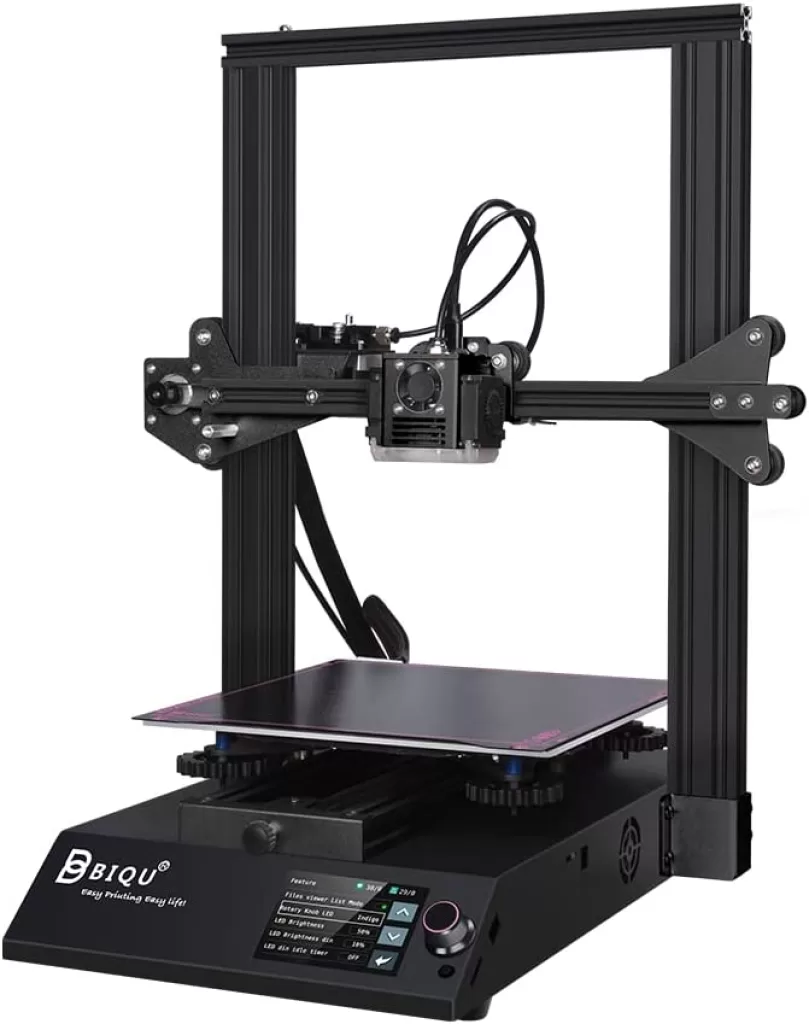
The Biqu B1, with its classic design and a modern twist, resembles the popular Ender 3 3D printer but stands out in execution. The bottom half, including the power supply and motherboard, arrives pre-assembled, leaving users to assemble the upper half with the frame, extruder, and motors.
The B1’s special features include precision machined and anodized parts, enhancing durability and quality. The anodizing process, though impressive, lacks the desired pop in the black version. Despite its standard T-slot frame, the Biqu B1’s machining and anodizing elevate its refinement compared to peers in its class.
Over the years, the wheels and the belts were the parts that wore on my B1. I squared the frame once during assembly, helped by having already built an Ender 3 Pro, and it stayed square. At higher speeds I could see the printer shaking, and that was reduced after I tuned input shaping. Next to my Ender 3 Pro, the B1 has a more stable bed, X and Y belt tensioners and better cable management.
Score: 7.5/10 · On our review scoring, build quality 7.5 sits between 7: Solid construction, durable components. (Frame Material: Solid, Component Durability: Durable, Vibration Resistance: Good) and 8: Very solid build, highly durable materials and low vibration
Measured: frame stayed square after one adjustment; wheels and belts were the wear parts; shaking at higher speeds reduced by input shaping (reported 2026-10-12).
⚠ Estimate: vibration was judged by eye, not measured. The half point weighs a frame that stayed square against shaking that needed input shaping.
Printing Speed
On stock firmware I ran 60 mm/s for perimeters, 30 mm/s for outer perimeters and 150 mm/s for travel. Stock, print quality started to fall apart at 100 mm/s. On Klipper with input shaping, the speed went up to 170 mm/s for perimeters, 200 mm/s for infill and 300 mm/s for travel. My test print took 1 hour 45 minutes stock and 1 hour 20 minutes on Klipper.
Score: 5/10 · On our review scoring, printing speed 5 means: Standard print speed, acceptable efficiency. (Print Speed: 120-150 mm/s, Max Speed: 220-250 mm/s, Default Acceleration: 1000-1200 mm/s², Max Acceleration: 1800-2000 mm/s², Efficiency: Standard)
Measured: manufacturer spec max 100 mm/s; stock, I printed perimeters at 60 mm/s and quality fell apart at 100 mm/s; on Klipper with input shaping, 170 mm/s perimeters and 300 mm/s travel, with my test print going from 1 h 45 min to 1 h 20 min (reported 2026-10-12).
⚠ Estimate: acceleration was not recorded. The stock speeds fit a 3 and the Klipper speeds a 6; the 5 weighs both, because the Klipper numbers need a conversion the printer does not ship with.
Community Support
When I got stuck, I went to the BIQU Facebook group, the BIGTREETECH BIQU-B1 repository on GitHub, Reddit and YouTube, and I had a usable answer in about 7 to 8 hours. B1-specific help was easy to find. Ender 3 material could be adapted, but only for certain things, because the frame is not the same. Compared with my Ender 3 Pro, the community is significantly smaller.
Score: 6.5/10 · On our review scoring, community support 6.5 sits between 6: Active community, helpful guides and support. (Online Community Size: 5000-7000 users, Availability of Guides: Good, Responsiveness in Forums: 12 hours) and 7: Large active community, extensive guides. (Online Community Size: 7000-10000 users, Availability of Guides: Extensive, Responsiveness in Forums: 6-12 hours)
Measured: Facebook BIQU B1 3D Printer User Group 5K members; Facebook Group by BIQU 11.9K members, brand-wide (counted 2026-10-12); my own usable answers came in about 7-8 hours (reported 2026-10-12).
⚠ Estimate: the response time is recalled, not timed, and fits a 7. The B1 group’s size fits a 6 (the brand-wide group alone fits 8), and the guides are good rather than extensive, so the half point is a judgement call.
Features
Removable Spring Steel Sheet
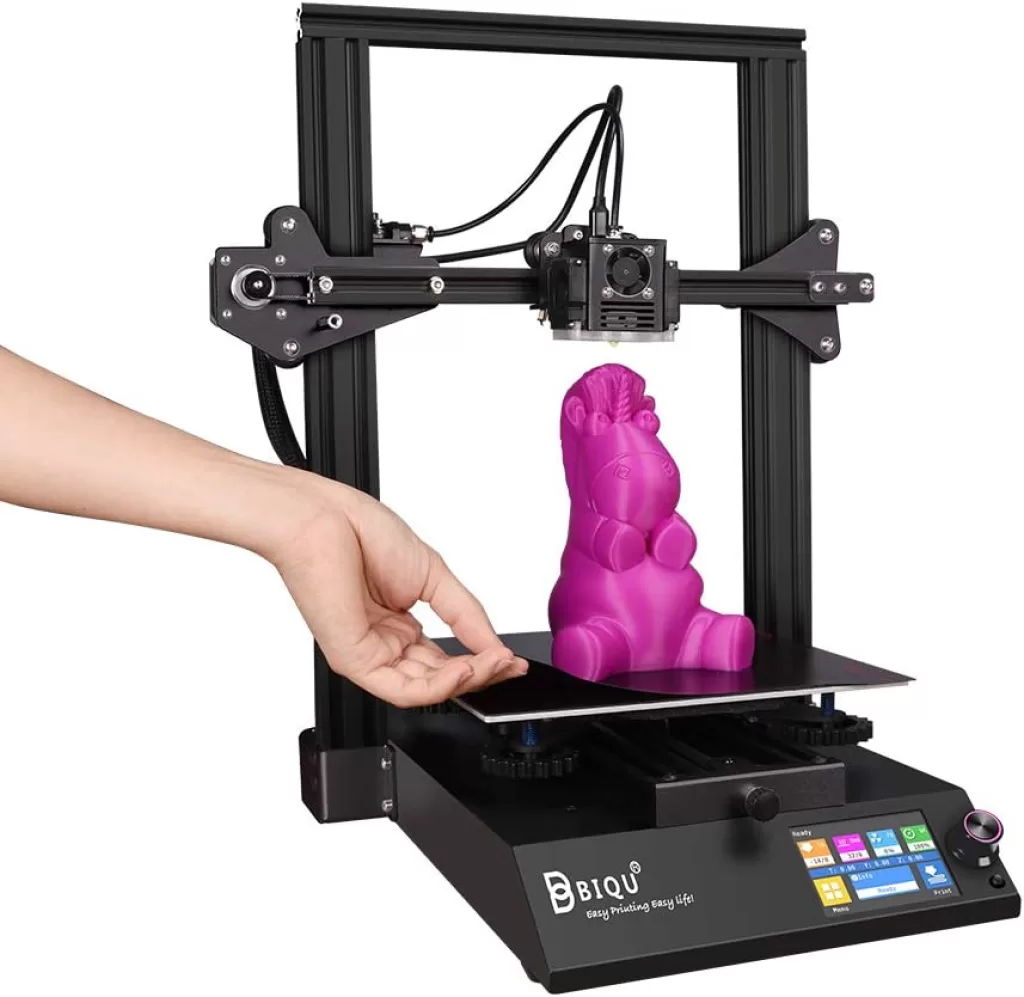
The BIQU B1 features a textured spring steel plate, 4mm thick and magnetic, capable of reaching 100°C. This facilitates easy print removal, ensures layer bonding, minimizes warping, and broadens filament compatibility.
Hotend and extruder
Equipped with a single-gear Bowden-type extruder and a metal nozzle reaching 260°C, the BIQU B1 accommodates various 1.75mm filaments. For higher temperatures, consider upgrading to a direct drive extruder for improved retraction and performance.
Adjustable RGB LED lighting
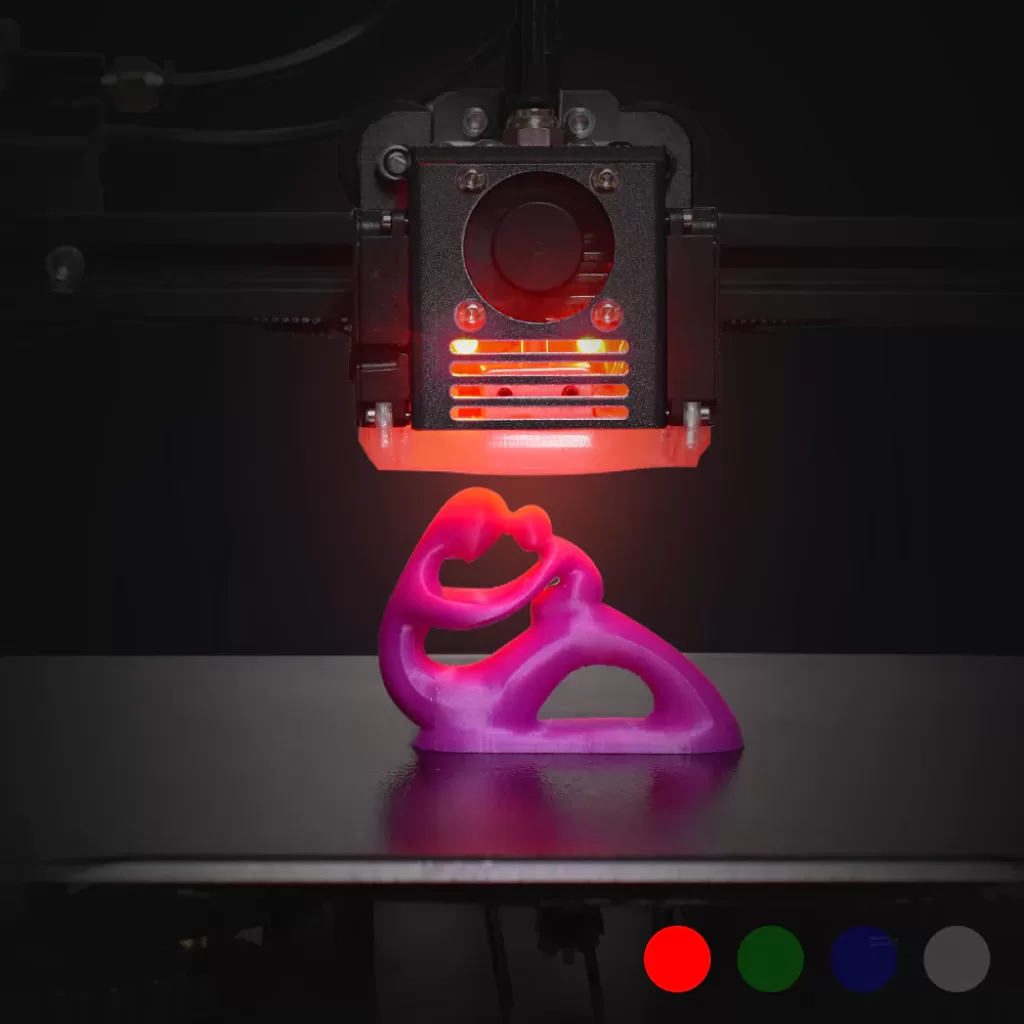
Enhance your nocturnal printing sessions with the BIQU B1’s adjustable RGB LED lighting. Change colors using the control screen interface for a vibrant touch to your printer setup.
High-performance 32-bit motherboard
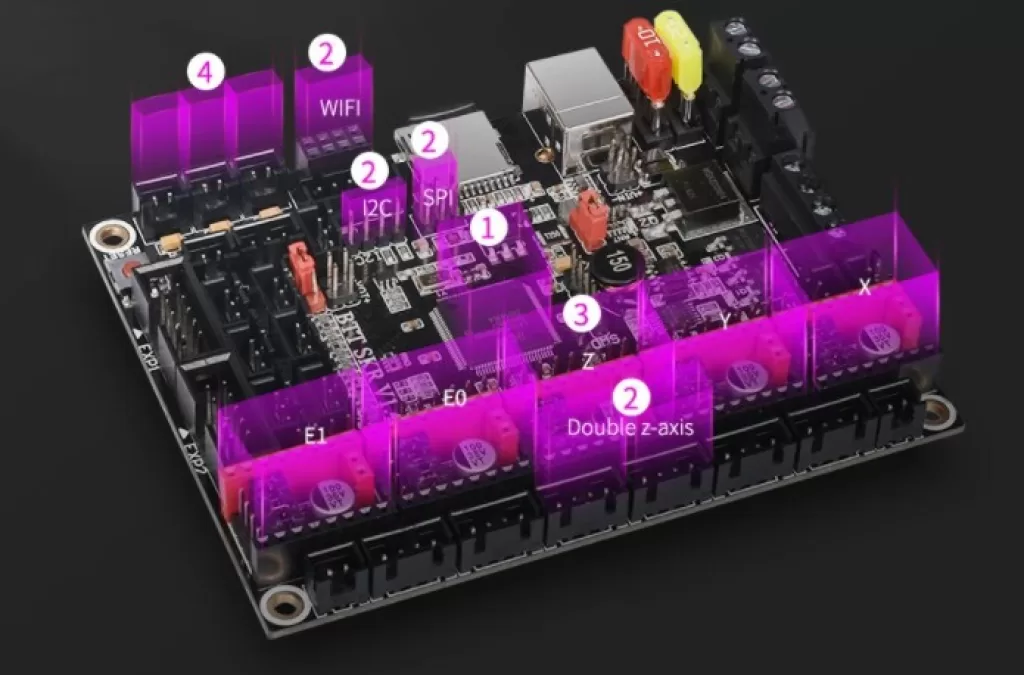
Featuring a manufacturer-developed SKR 1.4 motherboard with TMC2225 stepper motor drivers, the BIQU B1 ensures quiet operation. This renowned motherboard supports a second extruder for multicolor printing and includes convenient cooling features.
Resume printing and filament sensor
The BIQU B1 boasts a filament sensor and print resume function, ensuring a pause and resume in case of filament breakage, power failure, or material shortage—ideal for uninterrupted large prints.
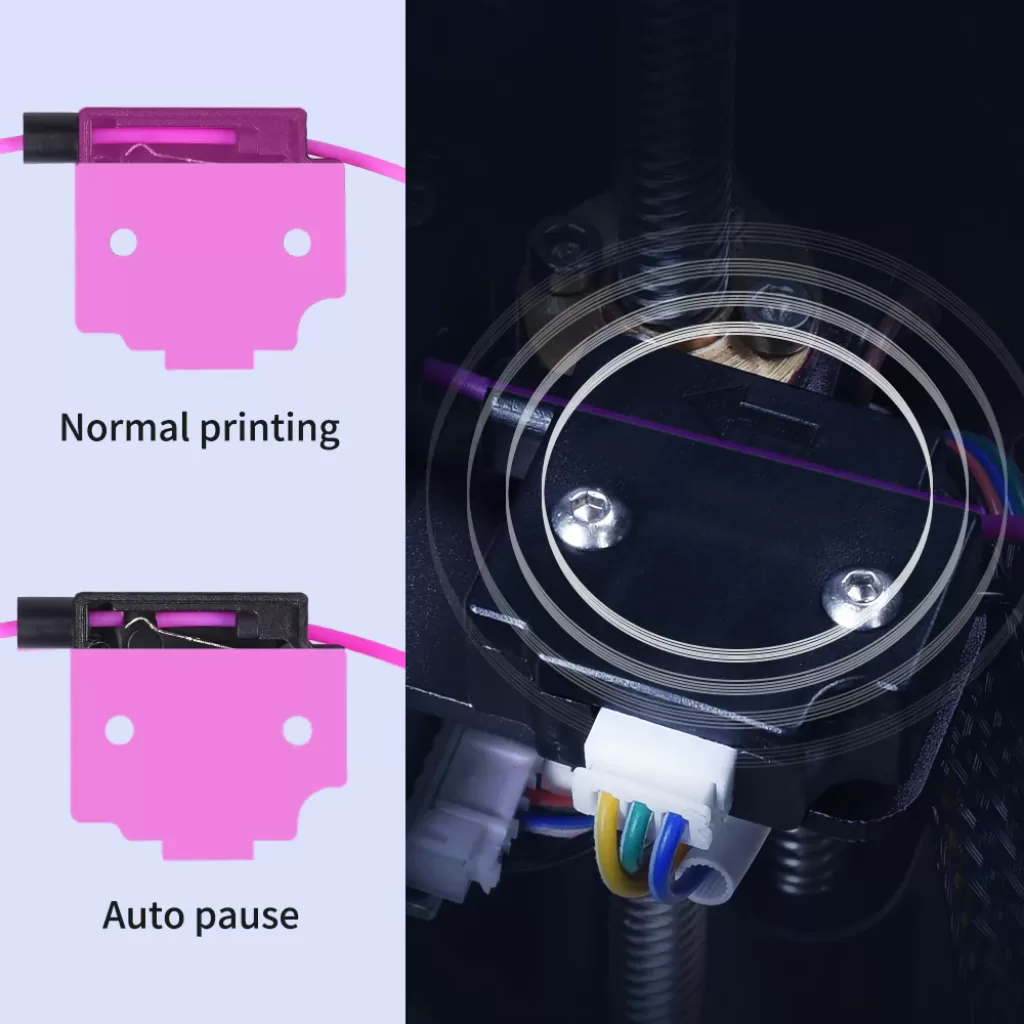
Of the built-in features, I used the runout sensor, power-loss resume, the RGB lights and both interfaces. Resume did work, but only about 40% of the time. I never used the second-extruder port or the spare ports.
I added a probe, and a direct drive mod I printed from Printables that reuses the stock extruder; I kept the stock board. The mods were not hard to install. The slow part was adapting them: modify the 3D file, print, test, measure and redo.
I had already run Klipper on my Ender 3 Pro. Because all the B1’s electronics sit in the same box, I bought a Raspberry Pi Zero 2 W and put it under the bed to run Klipper, a cheap but very good upgrade.
Score: 6/10 · On our review scoring, features 6 means: Features meet industry standards, some upgrade opportunities. (Available Features: Standard, Upgrade Options: Some, Open Source: Yes, External Upgrades: Good, Build Volume: 250 x 250 x 250 mm, Multicolor Printing: Yes, App: Yes, Offline: Yes, Ventilation: Yes, Filtration: No)
Measured: spec (AdditiveRealm database): build volume 235x235x250 mm, multicolour only with a separately sold two-in-one-out kit; firmware and printable parts published by BIGTREETECH; power-loss resume succeeded about 40% of the time in my use (reported 2026-10-12).
⚠ Estimate: this score lists a 250 mm cube, multicolour and an app; the B1 is 235 mm on X and Y, multicolour needs an add-on kit, and an app came only with my Klipper conversion.
Reliability
My B1 has done around 700 hours since I bought it in 2022. About 20% of my prints failed. The fault that kept coming back was PTFE clogs.
Score: 7.5/10 · On our review scoring, reliability 7.5 sits between 7: Reliable, consistent print results. (Success Rate: 75-80%, Consistency: Consistent) and 8: Very reliable, rare issues with prints. (Success Rate: 80-85%, Consistency: Highly consistent)
Measured: about 80% of prints succeeded over around 700 hours since 2022 (reported 2026-10-12).
⚠ Estimate: the failure rate is recalled, not logged. 80% sits on the line between 7 and 8, and recurring PTFE clogs keep it short of “rare issues”.
Customer Support
I never had to contact BIQU or BTT support, never bought a spare part from them and never made a warranty claim. Their support leaned on the community instead: they kept publishing the firmware source code, the 3D files and everything else. The GitHub repository holds the firmware with links to its Marlin source, and the STL files of the printed parts. I didn’t raise the black unit with BIQU either, because the B1 wasn’t shipped in two colours; it only came that way.
Score: 4/10 · On our review scoring, customer support 4 means: Moderately slow response, somewhat effective problem resolution. (Response Time: 24-36 hours, Problem Resolution: Moderate)
Measured: no contact with BIQU or BTT support in around 700 hours of use, so no response time to report (reported 2026-10-12).
⚠ Estimate: with no ticket to time, the 4 stays the author’s original judgement. The published firmware and printable parts help, but this score measures response time and resolution.
Sum up
In summary, the Biqu B1 may not revolutionize the 3D printing market, but it offers a classic design with a touch of modern sophistication.
No single print stands out, but the B1 gave me many good ones. On both my B1 and my Ender 3 Pro I installed a Z belt system, and it solved the Z-wobble.
Videos


Where to buy it: