 TreiD
TreiD
Based on 8 independent video reviews, one written hands-on test (Notebookcheck) and manufacturer specifications. AdditiveRealm has not physically tested this printer.
Introduction
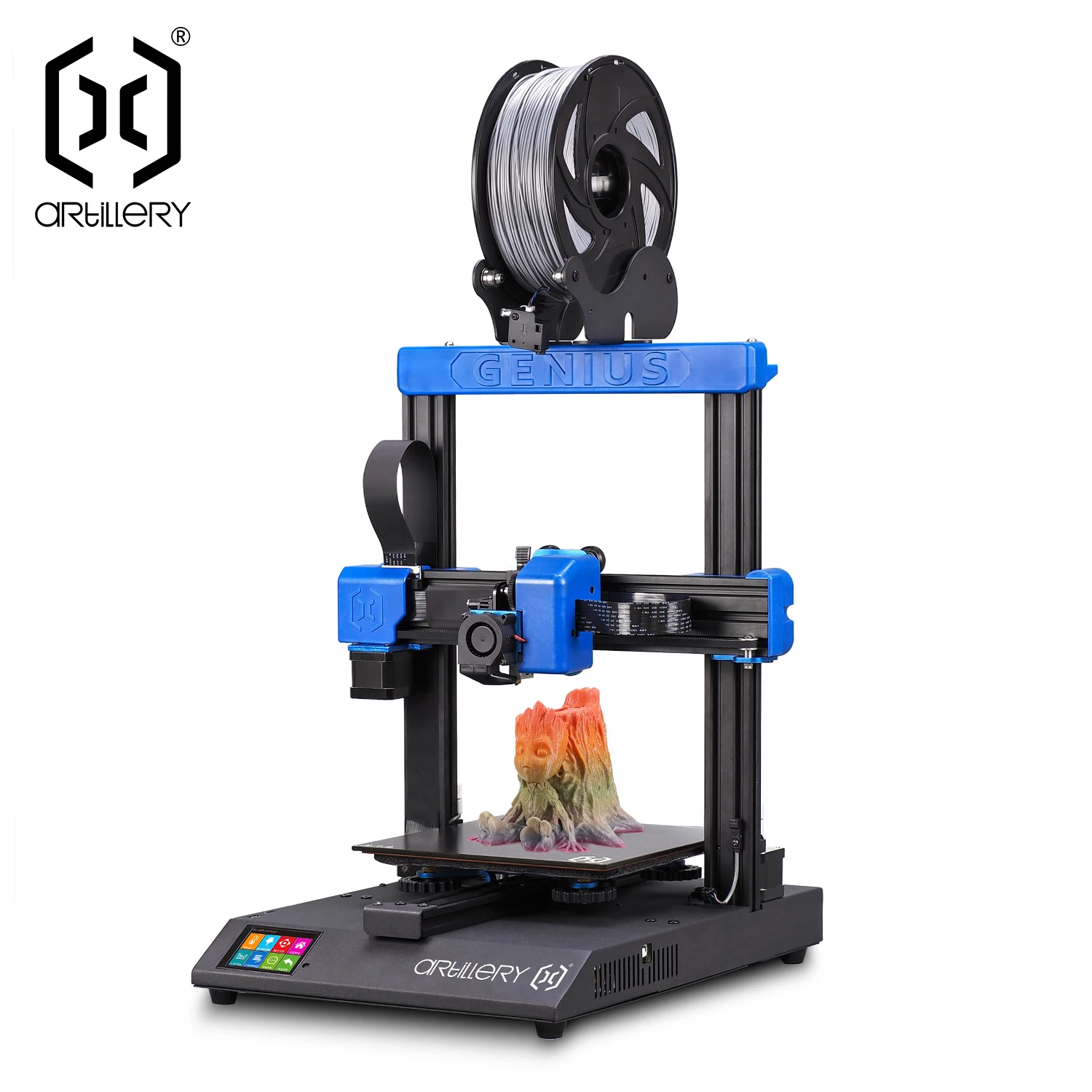
The Artillery Genius Pro goes together in minutes, prints clean Benchys and calibration cubes on stock profiles, and its direct drive handles TPU without fuss. The catch that runs through this Artillery Genius Pro review is speed. It’s a 2021 design with a rated 100 mm/s maximum, so I’d only buy one at a clear discount. Underneath sit a 220 x 220 x 250 mm volume, a direct-drive Titan-style extruder with a Volcano-type hotend, a BLTouch-style probe and a 32-bit Artillery Ruby board running Marlin, the same family as its bigger sibling, the Artillery Sidewinder X2.
Quick to build, quiet, and stuck in the slow lane
Reviewers agree the Genius Pro is one of the easiest Artillery machines to assemble and that it prints clean Benchys, cubes and vases on stock profiles, with direct drive that suits TPU.
- Printing quality7.5
- Ease of use8
- Build quality7
- Printing speed2.5
- Community support6
- Features5.5
- Reliability7
- Customer support5
- Pro: Assembles in roughly 10 to 15 minutes
- Pro: Clean out-of-box prints on stock profiles
- Pro: Direct drive extruder handles TPU well
- Con: Rated top speed of only 100 mm/s
- Con: Manual corner levelling still needed before ABL
- Con: Fixed-width spool holder limits wider spools
Consensus review: based on 8 independent video reviews and the maker's specs. AdditiveRealm has not physically tested this printer. How we score Affiliate disclosure
Best price: ≈ €243 $271
Where to buy ↓The eight video reviewers I drew on for this Artillery Genius Pro review all framed it as a beginner-friendly budget machine, and Notebookcheck’s March 2022 test called it a device for beginners and professionals. Their prices are history now: move in z 3D print passion quoted €244 from EU stock with a Geekbuying code in 2021, and Notebookcheck found it at about €290 at hekka.com, €260 with a code. Both of those test units were supplied by the retailers. Its rated 800 mm/s² acceleration belongs to the pre-input-shaping era, so against newer printers it competes on easy assembly and flexible filament, not speed.
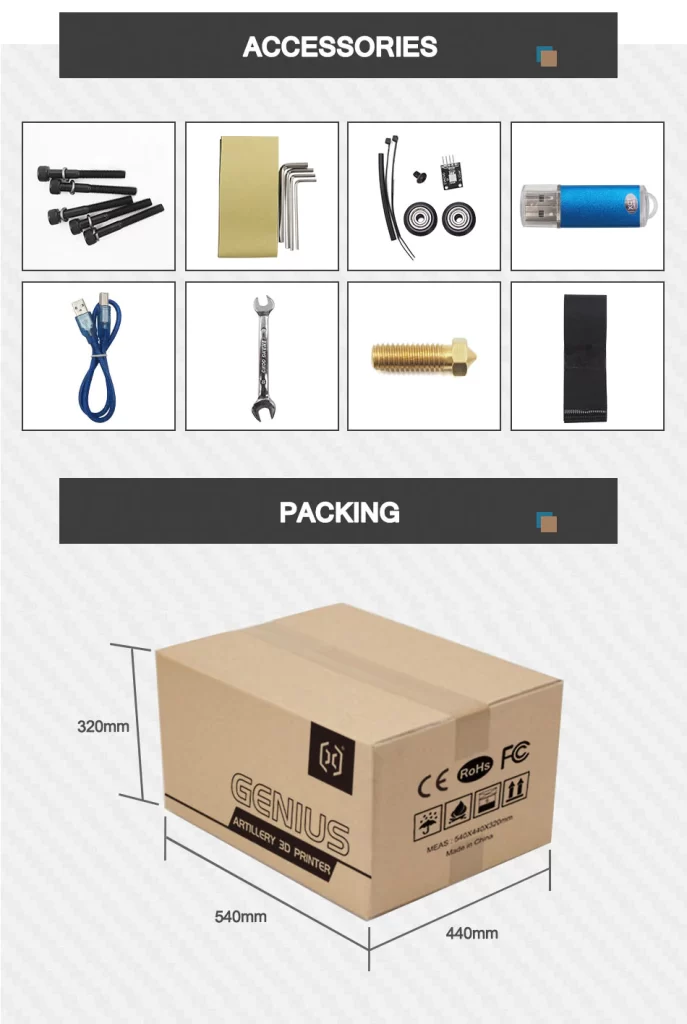
Assembly speed was the first thing nearly every reviewer mentioned, and the design explains why. The printer arrives in two halves and the captive screws come pre-inserted. A single board-to-board connector carries the gantry wiring, so joining the halves is mostly bolts and one plug. Notebookcheck counted six parts in the box, four of them the spool holder, and had the printer built in under 10 minutes including unpacking.
Performance breakdown
Printing Quality
Reviewers consistently got clean first prints on stock profiles. EBPMAN Tech Reviews and move in z 3D print passion both printed Benchys with no stringing and 20 mm calibration cubes that measured at or very close to 20 mm. Made In 3D called out-of-box quality the machine’s biggest strength. The manufacturer rates layer resolution at 0.05 to 0.36 mm.
move in z did find limits. A demanding rose print came out ‘okay but not perfect’, and on a tolerance test only the 0.5 mm gap moved freely while the 0.3 mm and 0.2 mm gaps fused. Its first Benchy also showed a blemish from burnt residue, which the reviewer attributed to factory QA testing. It did not recur.
Notebookcheck’s own test model backs up the clean results. It showed hardly any stringing, no blobs, dimensionally accurate features and print-in-place parts that moved, and its only small flaws pointed to the Cura profile’s retraction settings. PLA and TPU stuck well to the glass, but ABS needed an acetone-ABS coat first, and Notebookcheck skipped PETG because it can bond too hard to glass.
The bed is the weak spot on paper. The glass is heated by a silicone mat with no aluminium plate to spread the heat, and Notebookcheck’s thermal image showed large temperature differences, with cold spots at the four levelling screws. It saw no print problems caused by that, and the glass extends 5 mm past the printable area, so the cooler edge stays outside your parts.
Score: 7.5/10 · On our review scoring, printing quality 7.5 sits between 7: Good print quality, few imperfections. (Surface Finish: Good, Detail Accuracy: Good) and 8: Very good print quality, minimal imperfections and well-defined details
⚠ Estimate: the evidence sits between two bands, so the half point is a judgement call.
- “Everything came out really nice and clean, no stringing” — EBPMAN Tech Reviews
- “the biggest plus point is the print quality out of the box” — Made In 3D
- “it’s printed okay but not perfect” — move in z 3D print passion
- “the 0.5 tolerance is very well printed, the 0.3 is fixed, you can’t move it” — move in z 3D print passion
- “the print quality of this printer is very good” — Pro Know
- Printing resolution 0.05-0.36 mm — manufacturer
Ease of use
Mechanical assembly is very fast: Pro Know took under 10 minutes, and EBPMAN Tech Reviews and move in z 3D print passion described a few minutes to first print. Calibration is not fully hands-off, though. ruiraptor, Architects3DP and Made In 3D all followed the manual: heat the bed, paper-level the four corners with the knobs, then run the 5×5 auto-level. Several reviewers also had to check or adjust eccentric V-wheel nuts.
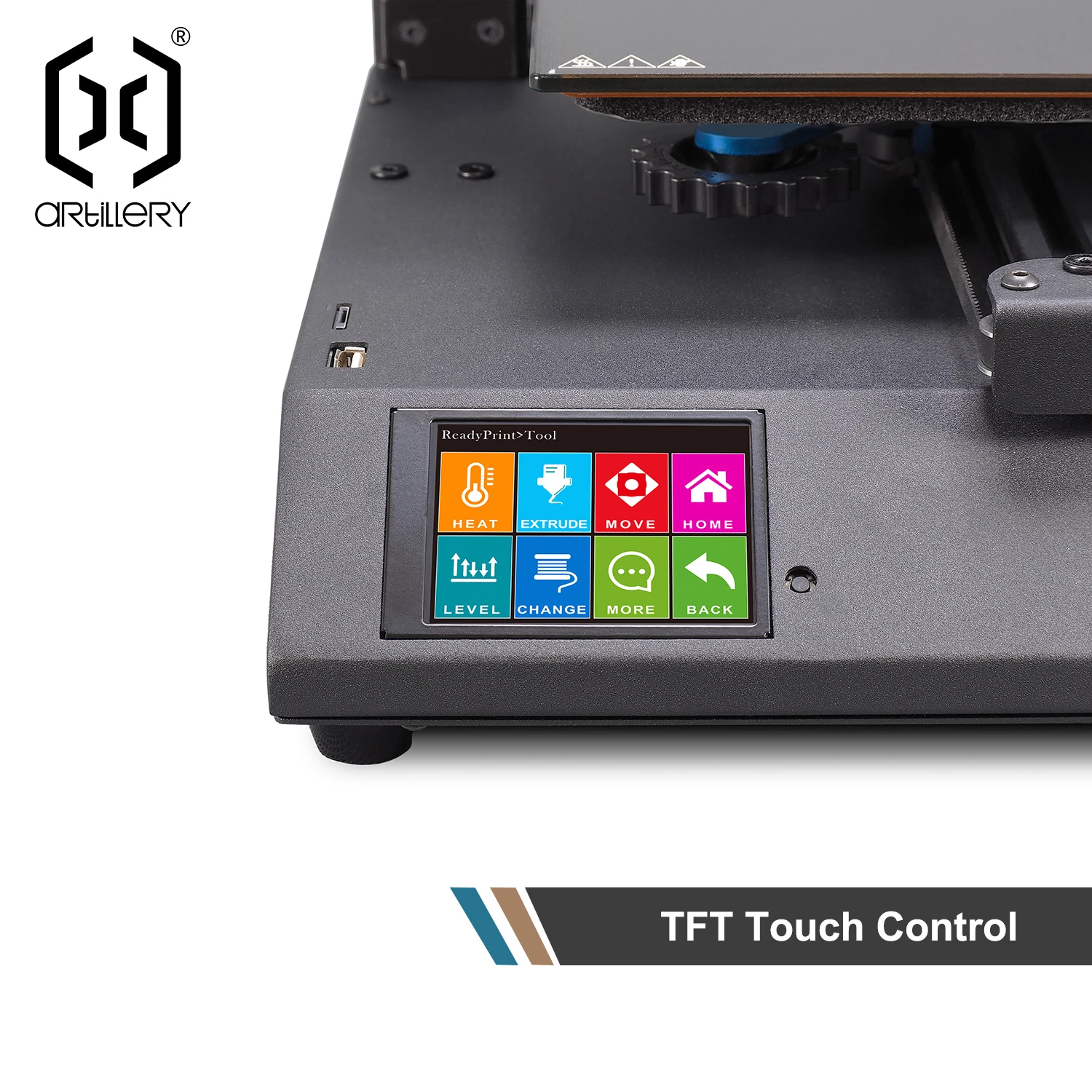
A few smaller annoyances came up: ruiraptor found the X and Y move icons point in the wrong direction, and Made In 3D found threading filament through the runout sensor awkward. The stock Genius slicer profiles also don’t apply the bed mesh on their own. move in z added G29 to the start G-code of the Genius classic Cura profile, and Notebookcheck added M420 S1 Z10 to load the saved mesh, so I check the start G-code before the first print. The touchscreen itself was described as simple and responsive.
Score: 8/10 · On our review scoring, ease of use 8 means: Very quick setup, minimal calibration effort. (Setup Time: 20-30 minutes, Calibration Process: Very user-friendly, User Interface: Very intuitive)
- “I took less than 10 minutes in assembly process” — Pro Know
- “it takes out the calibration hassle completely” — EBPMAN Tech Reviews
- “before we can start the first print we need to manually level the bed” — ruiraptor
- “the icons that appear on the buttons don’t have the correct orientation” — ruiraptor
- “loading the filament is a bit tricky” — Made In 3D
Build Quality
The reviewers who opened the base were happy with the internal workmanship. Wiring is tidy and secured, and the screw terminals use proper ferrules (ruiraptor, Embrace Making). Upgrades over the original Genius include metal Z carriages, an Oldham-style coupler on the lead-screw nuts, strain-relieved flat cables and a guided heated-bed cable.
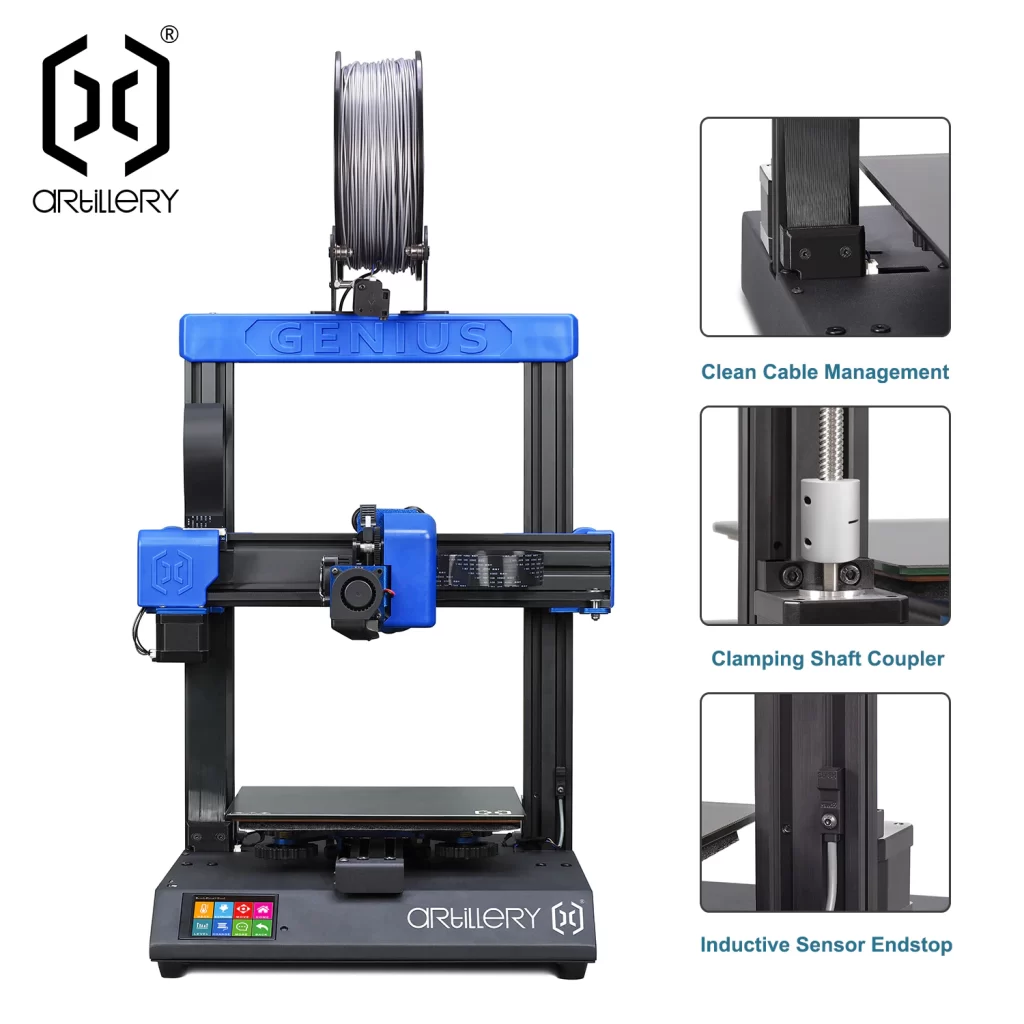
Notebookcheck’s teardown agrees. Its thermal camera put the thin ribbon cables at no more than 28 °C, every mains cable ends in a crimped, touch-protected lug, and the plugs in the base are secured with hot glue. Its criticisms were small: the X and Y belts have no tensioners, and the upper crossbar is a large plastic part whose long-term stiffness it questioned.
Weaknesses remain. move in z found the extruder idler arm is still plastic and the feet changed from rubber to hard plastic, which may transmit more vibration. Embrace Making found play in the Z-axis V-wheels that the described adjustment did not fix, plus slack at the lead-screw nut, on a unit that differed from the manual. My Tech Fun received a box-insert part that had come unglued, and the spool holder drew opposite opinions on sturdiness.
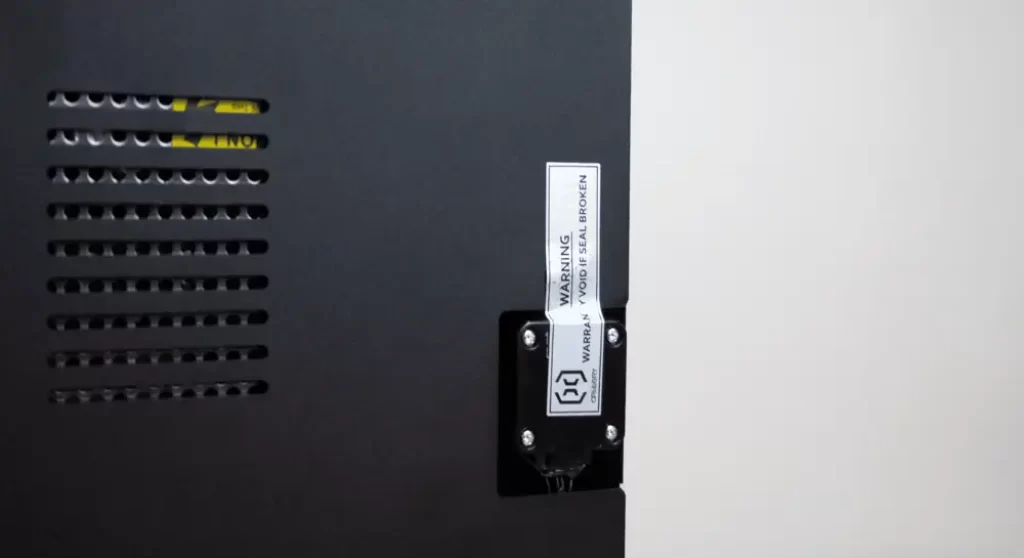
One catch before you inspect the wiring yourself: the base panel carries a “warranty void if seal broken” label. My Tech Fun opened his anyway but advised viewers not to, because it costs the warranty, and Embrace Making cut the label on purpose to look inside.
Score: 7/10 · On our review scoring, build quality 7 means: Solid construction, durable components. (Frame Material: Solid, Component Durability: Durable, Vibration Resistance: Good)
- “the Z carriages have been improved on the Genius Pro and they are now made from metal and not plastic” — ruiraptor
- “even in the screw terminals they’re using proper ferrules” — Embrace Making
- “the Z-axis also runs on V-wheels and I noticed that my assembly had a little bit of play in it” — Embrace Making
- “the part which was not improved is the idler arm, this one is still in plastic” — move in z 3D print passion
- “all metal construction, really sturdy in place” — EBPMAN Tech Reviews
Printing Speed
The manufacturer rates the Genius Pro at a maximum of 100 mm/s with 800 mm/s² acceleration, which is slow against current budget printers. Notebookcheck is the one tester that pushed it: about 120 mm/s ran cleanly on the firmware and PrusaSlicer settings, small flaws appeared above that unless retraction, acceleration and linear advance were retuned, and its speed test ran from 20 to 150 mm/s. Its 3DBenchy took 70 minutes. My Tech Fun noted that at these speeds the Volcano hotend’s extra melt capacity largely goes unused with the stock 0.4 mm nozzle.
Score: 2.5/10 · On our review scoring, printing speed 2.5 sits between 2: Very slow print speed, low efficiency. (Print Speed: 50-60 mm/s, Max Speed: 100-150 mm/s, Default Acceleration: 500-600 mm/s², Max Acceleration: 1000-1200 mm/s², Efficiency: Very Poor) and 3: Below average speed, moderate efficiency
Measured: manufacturer spec max 100 mm/s, 800mm/s²; Notebookcheck (March 2022): clean to about 120 mm/s, 3DBenchy in 70 minutes.
⚠ Estimate: only My Tech Fun and Notebookcheck covered speed; the evidence sits between two bands, so the half point is a judgement call.
- Printing speed max 100 mm/s, acceleration 800 mm/s² — manufacturer
- “In real terms, 120 mm/s (~4.72 in/s) is possible with the settings in the firmware and PrusaSlicer profile” — Notebookcheck
- “with those speeds with a 0.4 millimeter nozzle you will probably not use these possibilities” — My Tech Fun
Community Support
No reviewer measured community size or forum response times. The machine runs open-source Marlin and shares firmware, menus and slicer profiles with the widely sold Genius and Sidewinder line. move in z got good results with the stock Genius classic Cura profile plus one added G-code line, and ruiraptor and My Tech Fun pointed viewers to their own existing adjustment and upgrade guides for Artillery machines. I read that as a reasonable body of third-party help, inherited from the broader Artillery ecosystem rather than built for the Pro.
Score: 6/10 · On our review scoring, community support 6 means: Active community, helpful guides and support. (Online Community Size: 5000-7000 users, Availability of Guides: Good, Responsiveness in Forums: 12 hours)
⚠ Estimate: community size could not be counted.
- Firmware Marlin, open source yes — manufacturer
- “the firmware and menus are very similar with the previous Genius and the bigger sister the Sidewinder” — ruiraptor
- “it makes great prints with the standard Cura profile of the Genius classic” — move in z 3D print passion
Features
For its class, the Genius Pro is well equipped. You get the 220 x 220 x 250 mm volume, BLTouch-style mesh levelling and a direct-drive extruder suited to TPU. Add belt-synchronised dual Z, a heated bed rated to 100 °C, filament runout detection, power-loss recovery, USB and SD printing and an open-source 32-bit board. If you’d rather skip the probe, the board has a spare Z endstop port, but ruiraptor notes the switch itself isn’t included.
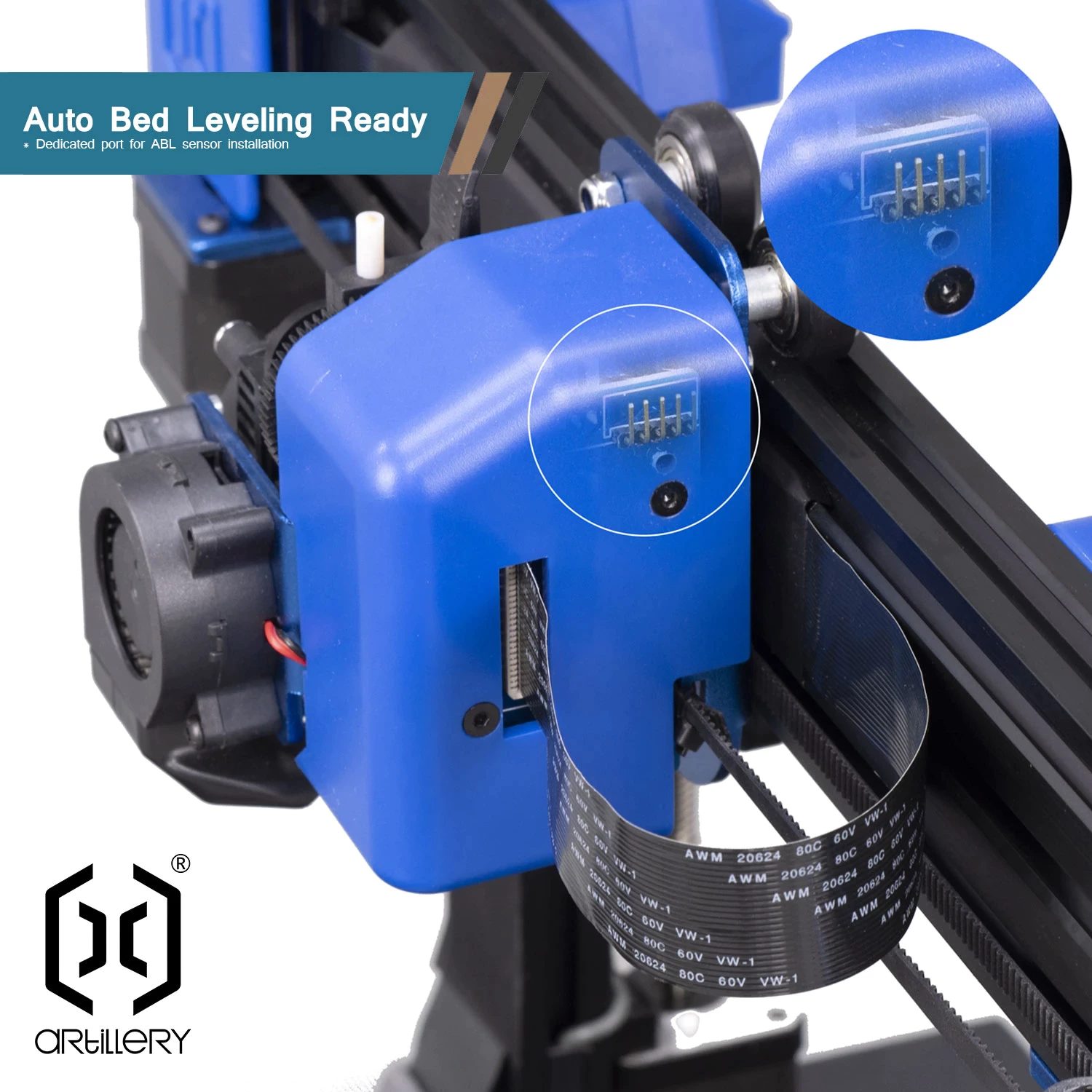
My Tech Fun praised the belt-synchronised dual Z as the best of both approaches. He and Embrace Making both found an unpopulated stepper-driver socket, though, so the two Z motors share one driver, and a second driver for automatic gantry alignment is a possible upgrade. My Tech Fun also suggests 0.6 or 0.8 mm nozzles to use the Volcano’s melt capacity, but the manufacturer lists only 0.4 mm as supported, so treat that as off-spec tinkering. Missing features include Wi-Fi, an app, multicolour printing, an enclosure and filtration.
Score: 5.5/10 · On our review scoring, features 5.5 sits between 5: Good range of features, moderate upgrade options. (Available Features: Good, Upgrade Options: Moderate, Open Source: Yes, External Upgrades: Some, Build Volume: 200 x 200 x 200 mm, Multicolor Printing: Possible, App: No, Offline: Yes, Ventilation: Optional, Filtration: No) and 6: Features meet industry standards, some upgrade opportunities
Measured: manufacturer spec: build volume 220x220x250 mm, multicolour no, enclosure no.
⚠ Estimate: the evidence sits between two bands, so the half point is a judgement call.
- Printing volume 220x220x250 mm, automatic bed leveling, filament sensor, print recovery, no multicolor, no enclosure, no webcam — manufacturer
- “I can see one more space for another stepper motor driver so this can be upgraded” — My Tech Fun
- “it has a direct extruder which makes it much more easier to print flexible filament like TPU” — move in z 3D print passion
Reliability
No reviewer published a success rate. Embrace Making’s video is the long-term one: he kept the printer longer than the months he usually gives a review machine, trying to find something that broke, and called it “dead nuts reliable”. He never had to service it or touch the levelling knobs after the first setup, and re-ran the bed probing only once. In the shorter tests no reviewer reported a failed print, and move in z’s single defect came from factory residue in the nozzle and did not recur.
Returning Artillery owners expect the redesigned, guided heated-bed cable to fix the thermistor-cable breakage common on older models. Embrace Making said the internal build quality gave confidence for overnight prints but also flagged Z-axis play as something to watch.
Notebookcheck adds two checks the videos didn’t run. Large and small objects usually printed without noteworthy problems, and its thermal-protection test, heating and cooling the sensors artificially, shut both heaters off reliably. The firmware also caught short circuits and disconnected cables.
Score: 7/10 · On our review scoring, reliability 7 means: Reliable, consistent print results. (Success Rate: 75-80%, Consistency: Consistent)
⚠ Estimate: no reviewer measured a success rate, so the score is estimated from their descriptions.
- “this is going to give me the confidence to run longer prints overnight” — Embrace Making
- “this printer has been just dead nuts reliable” — Embrace Making
- “very often the thermistor cable was broken inside that heat bed cable, as well as mine, but the new version is much better” — move in z 3D print passion
- “after that burnt plastic came out it never appeared again” — move in z 3D print passion
Customer Support
None of the eight video reviewers, nor Notebookcheck, contacted Artillery or a retailer for support, so response times and problem resolution are untested. Where a reviewer said where the unit came from, it was supplied: Artillery sent Embrace Making’s and My Tech Fun’s, Geekbuying sent move in z’s, and hekka.com provided Notebookcheck’s. My Tech Fun noted the printer shipped from a European warehouse, which spared him the customs paperwork he needed for an earlier Artillery machine from China. Nothing in this Artillery Genius Pro review is a verdict on support quality, just a gap in the evidence.
Score: 5/10 · On our review scoring, customer support 5 means: Reasonable response time, average problem resolution. (Response Time: 12-24 hours, Problem Resolution: Average)
⚠ Estimate: no reviewer measured a support response time, so the score is estimated from their descriptions.
- “big shout out to Artillery for sending me this 3D printer” — Embrace Making
- “this package is sent to me from Europe so I didn’t have problems with the customs” — My Tech Fun
- “Geekbuying.com, which have sent me this printer for free to test it” — move in z 3D print passion
Where reviewers disagree
- Bed levelling: EBPMAN Tech Reviews says auto levelling ‘takes out the calibration hassle completely’ and needed no spring adjustment. ruiraptor, Architects3DP and Made In 3D all followed the manual’s paper-level-four-corners step before running the auto-level.
- Spool holder sturdiness: EBPMAN Tech Reviews calls it all-metal and ‘really sturdy’, but Architects3DP found it ‘not very stable’.
- Spool holder width: My Tech Fun welcomed the fixed roller spacing as an end to constant readjustment, while Made In 3D listed the non-adjustable width as a con. My Tech Fun measured the limit at roughly 80 mm wide spools.
- Maximum speed: EBPMAN Tech Reviews quoted 250 mm/s, but the manufacturer specifies a maximum of 100 mm/s. Notebookcheck, the only tester that measured it, found about 120 mm/s clean and small flaws above that, so I go with the specification.
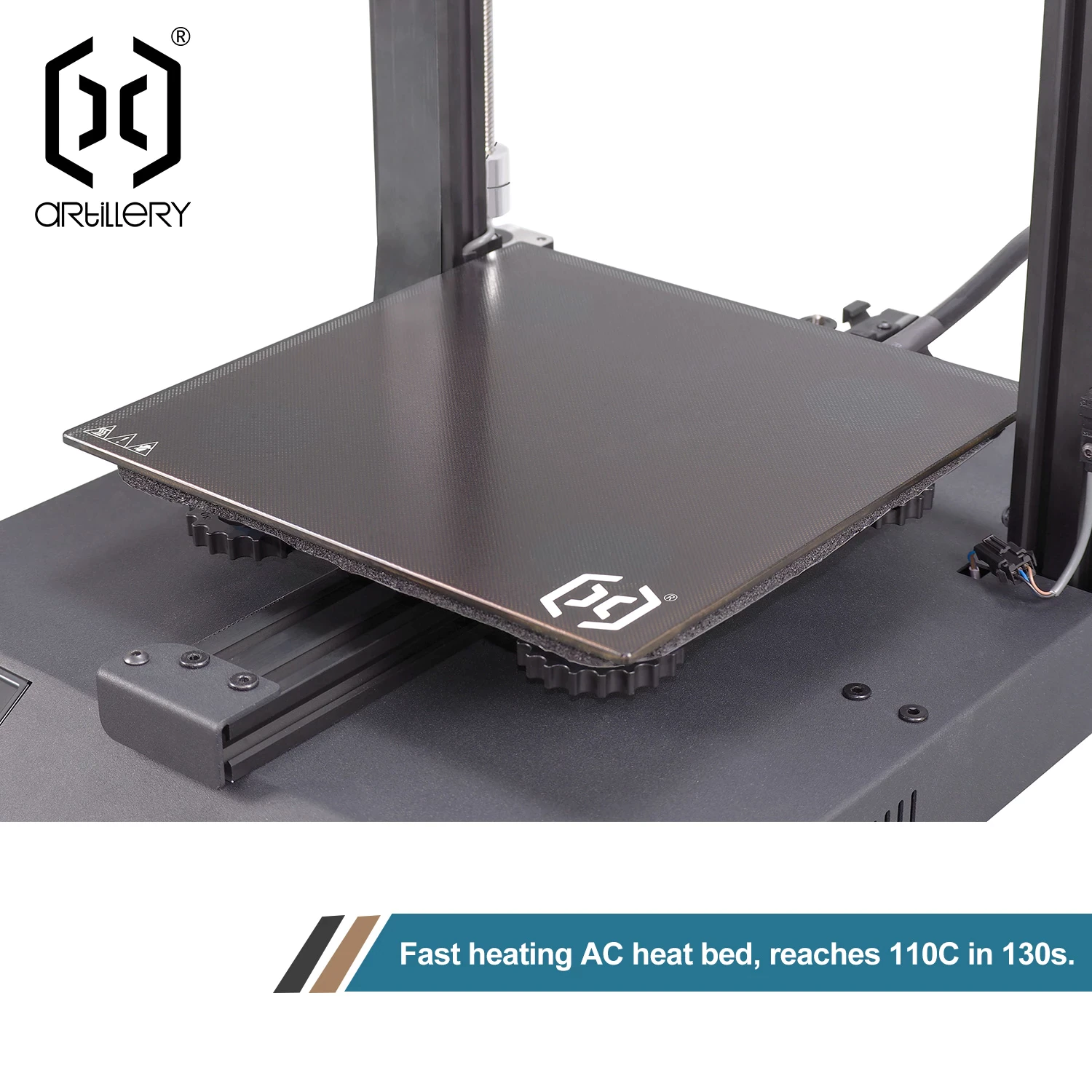
- Bed temperature: EBPMAN Tech Reviews said 120 °C in 3 minutes and move in z 3D print passion said up to 130 °C, against a rated 100 °C maximum, while Artillery’s own product image advertises 110 °C in 130 seconds. Notebookcheck measured 18 °C to 60 °C in under a minute and 120 °C in under three minutes, so the bed can get hotter than its rating. I still plan around the rated 100 °C.
- Z-axis adjustment: ruiraptor describes spring-loaded, set-screw-adjustable Z wheels, but Embrace Making’s unit differed from the manual and the play could not be adjusted out.
Sum up
Reviewers pitched it at first-time owners who want a printer running within minutes, and at hobbyists who want to print TPU and other flexibles without a Bowden tube. I’d skip it if print speed matters, if you want Wi-Fi or app control, or if you need more than about 220 mm of bed. If you care about fine dimensional tolerances, expect to calibrate it, since move in z’s 0.3 mm clearance test fused.
The prices reviewers cited are from 2021 and 2022: €244 from EU stock with a Geekbuying code, and about €290 at hekka.com, €260 with a code. At that level it offered a strong feature list for its year: auto levelling, direct drive, dual Z and a 32-bit board. When I checked on 12 October 2026, the one tracked offer in the shop box below listed about $270 but was out of stock, so there is no live EUR or USD price to compare against. Treat any listing you find as old stock or second hand, and for me it only makes sense well under that €244, because newer budget printers pair auto levelling with several times its rated speed.
Against the original Artillery Genius, the Pro is a fix-list generation, not a new design. The returning Artillery owners saw the old weak points targeted: a factory auto-level probe, a guided heated-bed cable aimed at the thermistor-cable breakage older machines were known for, and a fixed-roller spool holder that ends the constant readjustment My Tech Fun remembered. Not everything moved forward, since move in z found the feet went from rubber to hard plastic and the extruder idler arm is still plastic. None of these changes add speed, so I see the Pro as the Genius to buy new, not a reason to retire a Genius that already prints well.
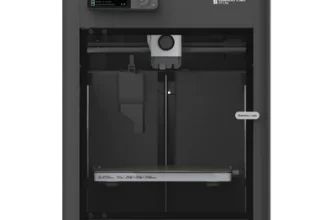
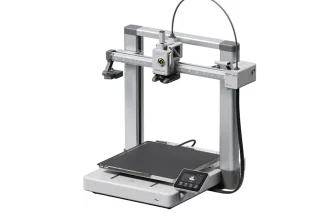
Against later budget bed-slingers, the gap is mostly speed. The Creality Ender-3 V3 SE keeps the same 220 x 220 x 250 mm volume but is rated at 250 mm/s with 2,500 mm/s² acceleration, two and a half times the Genius Pro’s top speed and roughly three times its acceleration. The Bambu Lab A1 mini claims 500 mm/s and 10,000 mm/s² on a smaller 180 mm cube. None of the reviewers tested these rivals side by side, so this is my spec-sheet judgement, not a measured shoot-out, and you can line up the same specs in our 3D printer database.
My call after this Artillery Genius Pro review: at anything near full price I’d take the Ender-3 V3 SE for the same bed with far more speed, or step up to the A1, which is my first-pick bed-slinger in my Bambu Lab A1 review. The Genius Pro wins only when it’s cheap and you value its bigger-than-A1-mini bed and open Marlin board. That openness suits tinkerers: I converted my Biqu B1 to Klipper on an SKR 1.4 Turbo board with Mainsail in May 2026. Notebookcheck says the Genius Pro’s Ruby board is compatible with Klipper, but no reviewer actually ran it, so treat that path as untested.
Videos
Where to buy it

Price alert
Sources
- My Tech Fun — Artillery Genius Pro – the new TPU 3D printing champion in my collection
- EBPMAN Tech Reviews — New 2021 Artillery Genius Pro! Start Printing in 15min! Its that easy!
- ruiraptor — Artillery GENIUS PRO – Detailed Assembly & Full Review
- Pro Know — Best Budget 3D Printer – Artillery Genius Pro
- Architects3DP — ARTILLERY GENIUS PRO | Assembly and Review | BEST 3D PRINTER in 2022?
- Embrace Making — Artillery Genius Pro Long Term Review, Assembly and Setup Guide
- move in z 3D print passion — Artillery Genius Pro – Budget King? Review
- Made In 3D — New 2021 Artillery Genius Pro! Assembly & Full Review Awesome 3D Printing TimeLapses
- Notebookcheck — Artillery Genius Pro 3D printer in review: A device for beginners and professionals