 TreiD
TreiD
Based on 8 independent video reviews and manufacturer specifications. AdditiveRealm has not physically tested this printer.
Introduction
Here’s my Anet A8 review verdict, drawn from eight video reviewers, from the kit’s 2018 heyday to a 2024 long-term check-in: once built and upgraded, this kit makes good prints for the $148 (It’s My Workshop) to $180 (Fast Tutorials) they paid. That ‘good’ is measured against budget printers of that era, not today’s self-levelling machines. It’s only for patient tinkerers, because the build, the levelling and the fixes are part of the price. Can you still buy one? There is no verified offer for the complete, original kit and Anet’s own shop no longer loads, so a used one is your realistic route.
The tinkerer's bargain kit
Reviewers agree the Anet A8 can turn out good prints for very little money, but only after a 5 to 11 hour build, regular bed levelling and some cheap fixes.
- Printing quality6
- Ease of use1
- Build quality3
- Printing speed2
- Community support9
- Features5
- Reliability5.5
- Customer support2
- Pro: Very low kit price, around $150 to $180
- Pro: Huge community with endless printable upgrades
- Pro: Open-source RepRap design, easy to modify
- Con: Assembly takes 5 to 11 hours from a kit
- Con: Acrylic frame creaks and loses bed level if moved
- Con: Reported dead heater and a hotend that burned a table
Consensus review: based on 8 independent video reviews and the maker's specs. AdditiveRealm has not physically tested this printer. How we score Affiliate disclosure
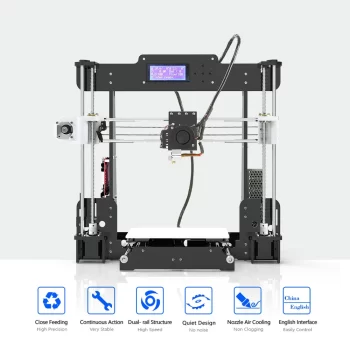
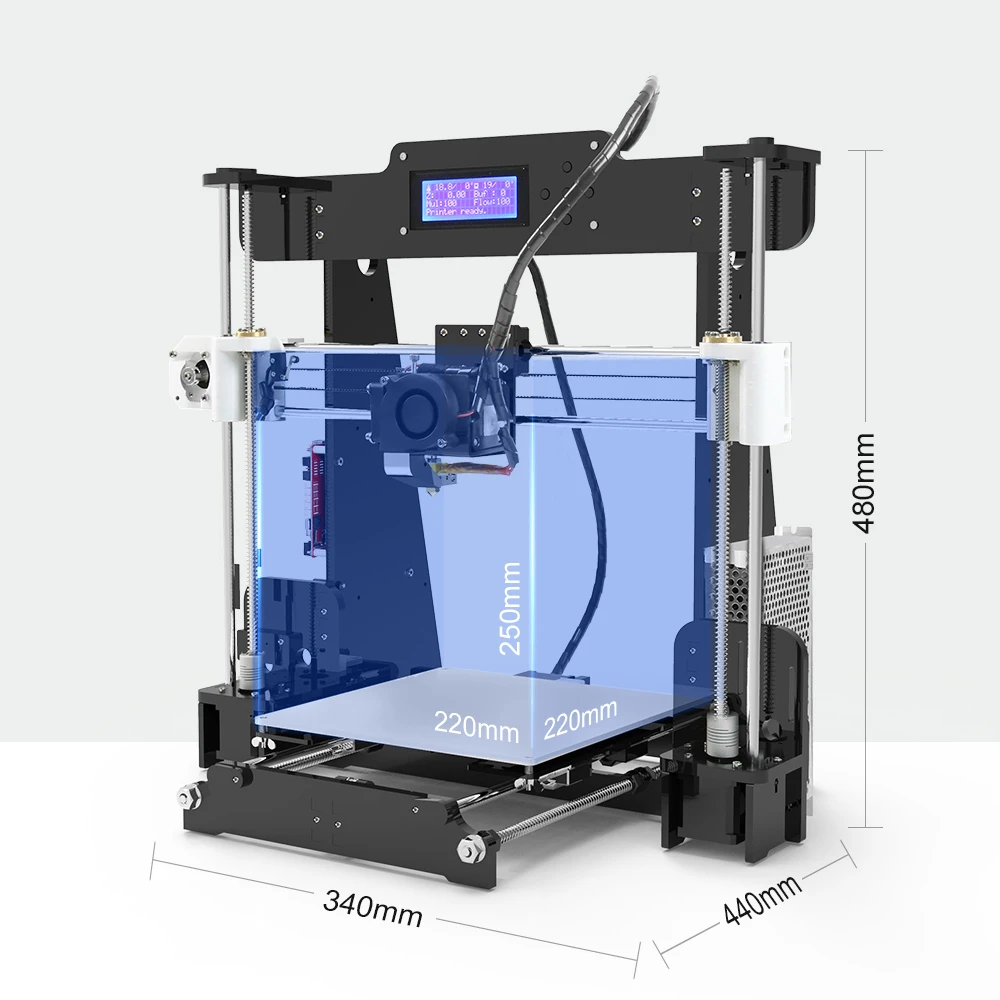
The Anet A8 is a Cartesian DIY kit with an acrylic frame, and It’s My Workshop calls it basically a Prusa i3 knockoff. It has a 220 x 220 x 240 mm build volume, a heated aluminium bed, a single 0.4 mm nozzle for 1.75 mm filament, manual bed levelling and SD card printing from an onboard LCD. byte sized engineering found that most owners he read agreed it works just well enough out of the box to print its own replacement and upgrade parts.
It’s My Workshop’s $148 kit shipped from GearBest’s LA warehouse, and Fast Tutorials paid $180 around 2017. byte sized engineering paid $160 in 2018, RCLifeOn quotes $156 and Chris Riley about $165 with free shipping from China. At the time, byte sized engineering expected a printer ‘worth purchasing’ to cost $700 or more, and It’s My Workshop put a decent machine at $400 to $500. So the A8 undercut the market by a wide margin.
The trade-off is time and tinkering, which is why 3D Printing Doctor recommends it to people with patience and an eagerness to learn, whom he calls ‘makers’. 3D Printing Doctor and J² thank GearBest for their units, while Chris Riley, byte sized engineering and It’s My Workshop bought theirs. The GearBest-supplied units didn’t earn a kinder verdict: Riley’s own-money unit had the most hardware failures, but 3D Printing Doctor and J² still described a kit that demands patience.
First contact is a box of loose parts. byte sized engineering describes ‘a million little parts’ with instructions and software on an included flash drive. J² says peeling the protective film off every acrylic piece added a lot of time to his build.
Riley’s kit was also missing holes in the Y carriage. Once it runs, the A8 can print many of its own fixes. The upgrade video from Reality Check VR is mostly printed parts, such as easier bed-levelling adjusters, a top filament guide and a better part-cooling duct.
Performance breakdown
Printing Quality
Once assembled and tuned, reviewers got usable to good results. After improvements costing no more than $30, 3D Printing Doctor measured his test parts close to their nominal sizes: a 25 mm ring at 24.9 mm, and a 10 mm cube between 9.92 and 10.24 mm. Once his own spare parts had it running, Chris Riley got ‘a very nice Benchy with only minor defects’ in two attempts.
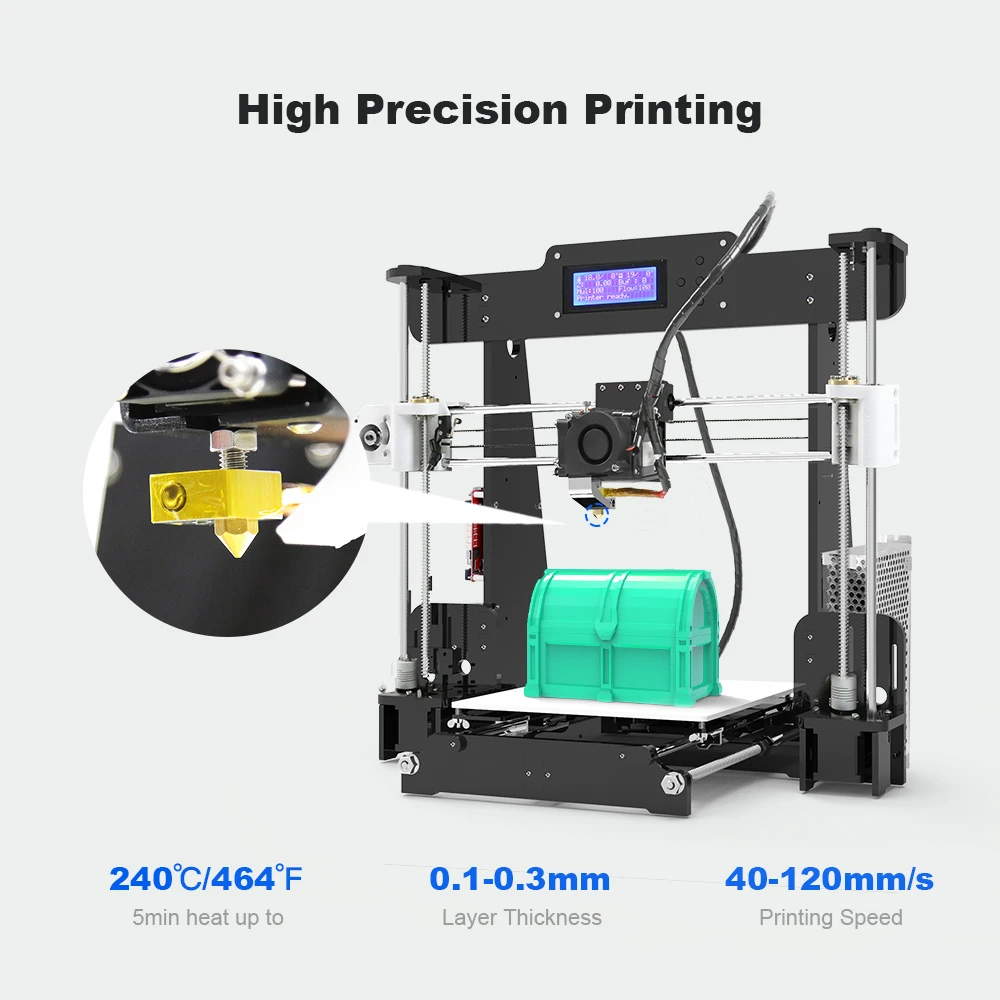
It’s My Workshop called its parts ‘very usable’ but showed splitting on long tubes, a wobble and some fit problems, partly blaming his own slicer settings. J² traced jagged walls to a skewed Y belt. Fast Tutorials saw quality suffer after more than 600 hours, until new bearings, a new nozzle and heater block and a new bed surface brought it back. My read is that the good prints come from the upgrades, so I’d budget for them from day one.
Score: 6/10 · On our review scoring, printing quality 6 means: Above average quality, some minor imperfections. (Surface Finish: Good, Detail Accuracy: Good)
- “So when we calculate this ring has minimum of 0.4 error percentage.” — 3D Printing Doctor
- “it printed a very nice Benchy with only minor defects in just two attempts” — Chris Riley
- “some of these long tubes you can see I have a little bit of splitting here” — It’s My Workshop
- “when it’s doing really delicate layers it will actually make it look weird on the side, they’ll be jagged and jittery” — J²
- “now looking at the results I was honestly shocked, I was expecting an improvement but just not to this degree” — Fast Tutorials
Ease of use
This is a full kit, and reported build times ranged from about five hours (Chris Riley) through six (byte sized engineering) to about eleven, with breaks, for first-timer J². Bed levelling is manual, by turning adjustment screws, and needs regular touch-ups. It’s My Workshop called it ‘not difficult but it’s fiddly’.
RCLifeOn and Chris Riley both found the LCD controls tedious, needing many clicks to get anywhere. Chris Riley says both Anet’s build video and its PDF manual need updating. J² found the PDF left out wiring and showed an endstop switch differently from Anet’s own assembly video. If constant re-levelling and fuzzy instructions would wear you down, I’d look elsewhere.
Score: 1/10 · On our review scoring, ease of use 1 means: Very difficult setup and calibration, unintuitive interface. (Setup Time: >120 minutes, Calibration Process: Complicated, User Interface: Unintuitive)
⚠ Estimate: no reviewer measured setup time, so the score is estimated from their descriptions.
- “it took me let’s see I think it was about 11 hours to assemble” — J²
- “it took about five hours to get it set up and printing” — Chris Riley
- “the bed leveling is not difficult but it’s fiddly” — It’s My Workshop
- “the five push buttons can be very annoying as you have to click multiple times for it to toggle” — RCLifeOn
Build Quality
The acrylic frame splits opinion. It’s My Workshop said it creaks and cracks during assembly and he’s afraid to take it apart again to fit his mods, and 3D Printing Doctor calls the body brittle. byte sized engineering, by contrast, thought it was fine once fully built, and Chris Riley found it ‘sturdy enough if you’re careful’.
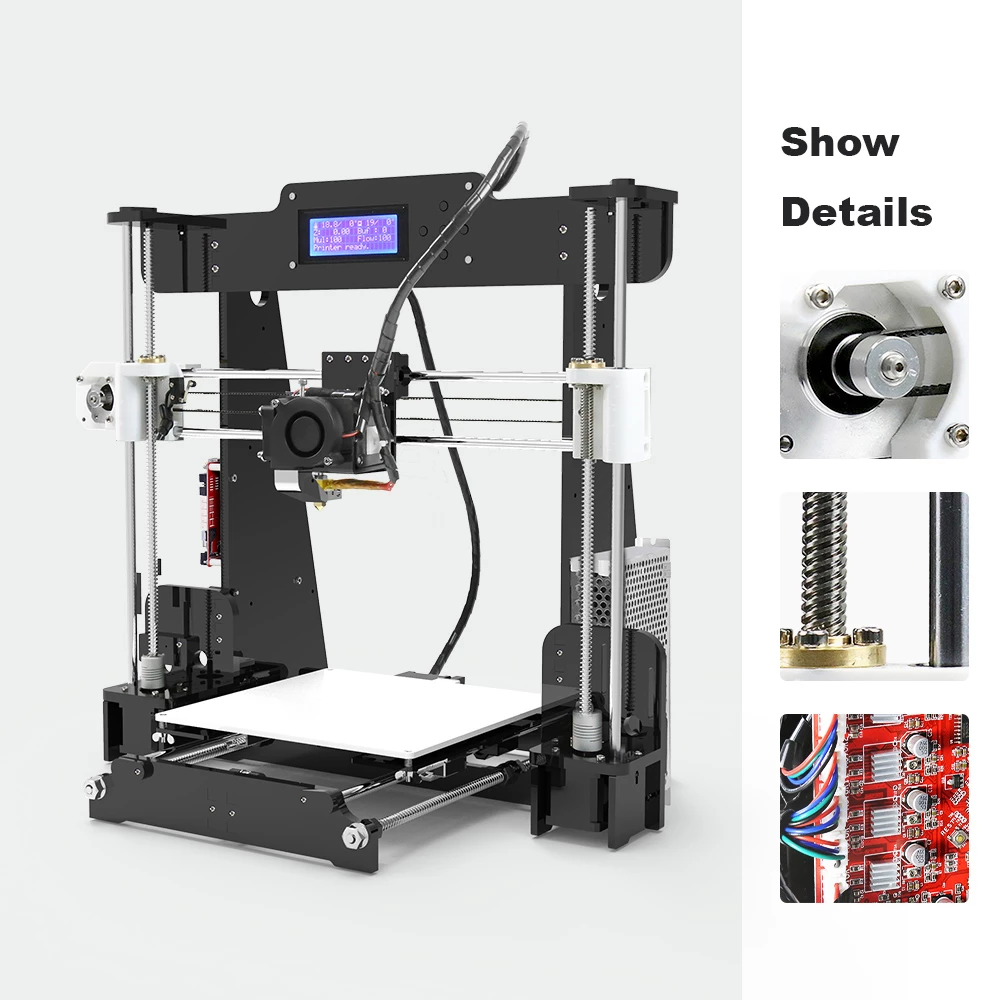
Component quality was patchy. Riley’s heater cartridge arrived dead. Later a stripped grub screw let the hot heater come out mid-print, and it kept heating on his bed and then his table, leaving a burn mark. Fast Tutorials’ original belt disintegrated and his bearings had all but given out after seven years, and Reality Check VR added vibration dampeners because the noise kept him awake.
That burn mark shows a fire risk, not just a print-quality one. It’s My Workshop calls safety his biggest issue: he read of boards melting and even catching fire where the power supply feeds in, and recommends an add-on MOSFET board or a better power supply as the fix. Riley advises soldering the heated-bed wires directly rather than trusting the plug, and found the stock firmware proprietary and impossible to change.
So on any A8 I’d check the bed wiring and board connector for heat damage and confirm a bed MOSFET is fitted. I’d also confirm it runs firmware with thermal runaway protection, which Marlin calls one of its most vital safety features; flashing Marlin is the community mod Fast Tutorials lists. Until those checks are done, I wouldn’t leave this printer running alone.
Score: 3/10 · On our review scoring, build quality 3 means: Below average build, some components lack durability. (Frame Material: Below average, Component Durability: Below average, Vibration Resistance: Below average)
- “putting it together it creaks and cracks and I’m afraid it’s going to break, it is not aluminium, it’s an acrylic” — It’s My Workshop
- “one major complaint I read from many people with this printer is that the frame is very flimsy, once I had finished installing all the pieces I actually thought it was fine” — byte sized engineering
- “the grub screw that holds the heater in was apparently stripped and it came out during a print after the block got good and hot” — Chris Riley
- “It was vibrating and I couldn’t really fall asleep printing with this thing” — Reality Check VR
- “it has an acrylic body. Its body is brittle. So you need to be gentle with this 3D printer.” — 3D Printing Doctor
Printing Speed
Anet quotes a 100 mm/s maximum. Fast Tutorials, the only reviewer to give working speeds, runs functional parts at 70 to 80 mm/s and calls that fast for this kind of printer. For detailed models he drops to 40 to 50 mm/s.
Score: 2/10 · On our review scoring, printing speed 2 means: Very slow print speed, low efficiency. (Print Speed: 50-60 mm/s, Max Speed: 100-150 mm/s, Default Acceleration: 500-600 mm/s², Max Acceleration: 1000-1200 mm/s², Efficiency: Very Poor)
Measured: manufacturer spec max 100 mm/s.
⚠ Estimate: only one reviewer covered this.
- Printing Speed: max 100 mm/s — manufacturer
- “for functional parts like these I find that the finish even at 70 to 80 mm/second is more than good enough for me” — Fast Tutorials
- “when printing smaller detailed models I could set it down to 40 or 50 mm/second” — Fast Tutorials
Community Support
Community is the A8’s strongest point. RCLifeOn picked it over the Anet A6 largely because of its far bigger community and endless printable upgrades. byte sized engineering found many YouTube guides and community-compiled lists of essential upgrades.
3D Printing Doctor praises a Facebook group whose members around the world reply ‘super fast’, and It’s My Workshop points to people on Facebook and elsewhere who help each other out. None of the reviewers gave a member count or a timed response, so this rests on consistent qualitative reports, the most recent from 2024.
Score: 9/10 · On our review scoring, community support 9 means: Massive community, comprehensive resources and quick support. (Online Community Size: >15000 users, Availability of Guides: Comprehensive, Responsiveness in Forums: <6 hours)
Measured: Facebook Official Geeetech & Anet 3D Printer Support Group (Incl. RepRap Prusa i3) 61.5K members, as of 2026-10-12 (counted 2026-10-12).
⚠ Estimate: community size is counted (size alone fits 10); guide quality and forum response time are estimated from reviewers.
- “the Anet A8 is far more popular making the community absolutely amazing, you can find endless amount of upgrades and useful prints on Thingiverse” — RCLifeOn
- “it has a really nice Facebook group and they are super fast replying to your any problem” — 3D Printing Doctor
- “I found a ton of YouTube videos and a large online community surrounding this super cheap 3D printer” — byte sized engineering
- “There’s been a boatload of popular community modifications available for the A8” — Fast Tutorials
Features
Out of the box the A8 offers a 220 x 220 x 240 mm volume, a heated aluminium bed, a 0.4 mm nozzle, SD card printing and an open-source design. It has no enclosure, filtration, filament sensor, auto-levelling or app. It’s My Workshop found the LCD menu complete enough to print without a computer, and he also runs OctoPrint on a Raspberry Pi (see how OctoPrint compares with Klipper and Marlin).
The upgrade path is wide: RCLifeOn notes auto-levelling can be added, and Fast Tutorials lists flashing Marlin, E3D hot ends and full aluminium-extrusion rebuilds. Stock omissions still frustrate, and Chris Riley wants at least a power switch.
The A8 also changed during its production run, so the one you find used may be an earlier or later version than the spec sheet. RCLifeOn’s unit had a direct-drive extruder, a push-button LCD and a v1.0 board, and byte sized engineering built dual Z motors. Our database describes a different spec: a Bowden extruder, a single Z motor, a rotary-encoder LCD and an Anet v1.7 board. Going by the board numbers, the reviewed kits look like earlier revisions, so before ordering upgrade parts for a second-hand A8 I’d confirm which board and extruder it actually has.
Score: 5/10 · On our review scoring, features 5 means: Good range of features, moderate upgrade options. (Available Features: Good, Upgrade Options: Moderate, Open Source: Yes, External Upgrades: Some, Build Volume: 200 x 200 x 200 mm, Multicolor Printing: Possible, App: No, Offline: Yes, Ventilation: Optional, Filtration: No)
Measured: manufacturer spec: build volume 220x220x240 mm, multicolour no.
- Printing Volume 220x220x240 mm, Heated Bed yes, Bed Leveling Manual, OpenSource Yes, Connection SD Card — manufacturer
- “it has enough options on here that you can print without a computer if you put things on the SD card” — It’s My Workshop
- “both printers are however able to be modified with automatic leveling” — RCLifeOn
- “I would like to see them go one step further and throw in a power switch, this can be real handy when things go wrong” — Chris Riley
Reliability
None of the reviewers logged a success rate, and the reports split. Fast Tutorials ran his A8 for about seven years, 600+ hours and roughly 5,000 m of filament with only occasional screw tightening, and called it ‘extremely reliable’. After a month, It’s My Workshop said it ‘never just failed’.
Against that, Chris Riley hit a dead heater, a heater block that came loose mid-print, a filament jam and a first PLA rocket print that curled. It’s My Workshop and Chris Riley also report that the bed drifts out of level every few prints or whenever the printer is moved. I read that split as a sign that results depend on the unit you get and how much maintenance you put in.
Score: 5.5/10 · On our review scoring, reliability 5.5 sits between 5: Reasonably reliable, occasional print failures. (Success Rate: 65-70%, Consistency: Reasonably consistent) and 6: Above average reliability, occasional issues
⚠ Estimate: no reviewer measured a success rate, so the score is estimated from their descriptions; the evidence sits between two bands, so the half point is a judgement call.
- “throughout this time the printer has been extremely reliable with minimum maintenance” — Fast Tutorials
- “after every so many prints you have to come back and give a little quarter turn here or there and make it right again” — It’s My Workshop
- “after many prints the unusual barrel size started to bind and cause the filament to jam” — Chris Riley
- “moving it can cause the bed to become unlevel easily” — Chris Riley
Customer Support
Chris Riley reports that Anet does not support these printers directly, so buyers are left to the seller and, in his experience, ‘you get what you get’. He fixed his dead heater with his own spare part. RCLifeOn did get a factual answer from GearBest support about the motherboard, but no reviewer recorded a response time or a resolved fault. In practice the community, not the vendor, is the support channel.
Score: 2/10 · On our review scoring, customer support 2 means: Very slow response, ineffective problem-solving. (Response Time: >48 hours, Problem Resolution: Poor)
⚠ Estimate: no reviewer measured a support response time, so the score is estimated from their descriptions.
- “Anet does not provide support directly for these printers. You can contact the seller you got it from but I found it’s mostly you get what you get” — Chris Riley
- “This was also confirmed by GearBest support staff” — RCLifeOn
Where reviewers disagree
- Frame sturdiness. It’s My Workshop and 3D Printing Doctor call the acrylic fragile, while byte sized engineering and Chris Riley found it fine once built.
- Assembly difficulty. It’s My Workshop says it ‘was not difficult’ for anyone mechanically inclined, and Chris Riley calls it ‘pretty easy’ at about five hours. First-timer J² needed about 11 hours.
- Noise. It’s My Workshop calls it ‘a pretty quiet machine’, but his runs inside a home-built cabinet with quieter bearings fitted. Reality Check VR found the vibration loud enough to keep him awake and added dampeners.
- Long-term reliability. Fast Tutorials logged seven years and 600+ hours with little maintenance, while Chris Riley hit a dead heater, a loose heater block and a jam.
- Out-of-box print quality. It’s My Workshop got decent prints once it was built and levelled, and Chris Riley a nice Benchy in two attempts after replacing his dead heater. 3D Printing Doctor says ‘you may not get the perfect prints right away’ and that the printer needs developing first.
- Firmware. Our spec sheet lists Marlin. Chris Riley says the stock firmware is proprietary and can’t be changed, and Fast Tutorials lists flashing Marlin as a popular community modification while his own A8 still runs its original firmware.
- Heated bed temperature. Anet rates the bed at 90 °C. Chris Riley saw his reach 100 °C from 23 °C in about 15 minutes, while RCLifeOn found it couldn’t stay hot enough for ABS without an enclosure.
- Hardware listed versus hardware reviewed. Spec sheet says Bowden, single Z, rotary encoder and a v1.7 board, while reviewed units had direct drive, dual Z, buttons and a v1.0 board.
- Connectivity. The spec sheet lists SD card only. It’s My Workshop points to the board’s USB port and runs OctoPrint from a Raspberry Pi.
- Material range. The manufacturer lists ABS, PETG, TPU and more as compatible. RCLifeOn says flexibles tend to jam unless printed slowly, and that ABS is difficult without an enclosure because the bed can’t hold a high enough temperature.
Sum up
Reviewers recommend it for patient, mechanically inclined beginners who want to learn how a 3D printer works and enjoy fixing and upgrading one. 3D Printing Doctor calls this audience ‘makers’. Fast Tutorials argues that anyone with a little tinkering spirit, printing only a couple of things a month, has no reason to replace an A8 that already works. From what they report, I’d buy it only if I wanted the tinkering as much as the prints.
Skip it if you want to unbox and print. It’s My Workshop says ‘steer clear’ if that is you, and Chris Riley warns that a younger or less experienced buyer facing a failed part could end up with ‘a pile of garbage’. For me the dealbreaker would be needing to move the printer often or leave it running unattended before the wiring and hotend have been checked.
At the $148 to $180 reviewers paid, the value was hard to beat. Chris Riley says ‘for 165 dollars US you pretty much can’t go wrong’ if you don’t move it around much and will replace a few sub-$5 parts. 3D Printing Doctor puts his quality improvements at no more than $30. Fast Tutorials got seven years of use from a $180 kit.
The real price, though, includes many hours of assembly, tuning and maintenance. No Anet A8 review among the eight quotes a current retail price, so check what the kit, or a clone of it, costs today before treating these figures as current.
Against its sibling, the Anet A6 (about $200), RCLifeOn found the same motherboard and heated bed, a nicer control knob and more pre-assembled parts on the A6. He still judged the A8 the better buy, for its far larger community and lower price. Fast Tutorials puts A8 owners alongside owners of an old Creality Ender 3 or CR-10: people who never expected to just press print.
Fast Tutorials concedes that newer printers save time through faster printing and automated features, though he argues a well-maintained A8 still does what he needs. So the 2026 choice is a used A8 or a current entry printer like the Ender 3 V3 SE or the Bambu Lab A1 mini. Our database lists automatic bed levelling on both, which removes the screw-by-screw levelling, and neither needs the A8’s wiring and firmware safety checks. Unless you want the tinkering, I’d take the new machine.
As for buying an A8: there is no verified offer for the complete, original kit, and Anet’s own web shop no longer loads (checked 12 October 2026). Listings for the later A8 Plus are a different printer from the kit these eight reviewers built. Your realistic route is a used kit from local marketplaces or printing groups.
Before paying for a used one, I’d check the acrylic for cracks, the heater block’s grub screw, the bed wiring and connector, and the belts and bearings, which are the parts reviewers saw fail. If that sounds like more hunting than you want, my 3D printer buying guide covers current machines.
Videos
Where to buy it
Price alert
Sources
- byte sized engineering — Anet A8 – The best cheap DIY 3D printer in 2018?
- RCLifeOn — Anet A6 vs A8 Comparison – Which Is the Best 3D Printer?
- 3D Printing Doctor — Review | Should I Purchase A8 Anet Desktop 3D Printer DIY kit?
- Reality Check VR — ✔ ANET A8 ULTIMATE UPGRADES! AMAZING CHEAP 3D-PRINTER!
- It’s My Workshop — Anet A8 3D Printer Review
- J² — 3D Printing Newcomer’s Anet A8 Review
- Fast Tutorials — Original ANET A8 In 2024! | Why you don’t need a new 3D Printer
- Chris Riley — 3D Printer Anet A8 Review – IS IT WORTH IT!?
- Marlin Firmware — Configuration (Thermal Protection)