 Additive Realm
Based on 8 independent video reviews and manufacturer specifications. AdditiveRealm has not physically tested this printer.
Introduction
My verdict from this Bambu Lab A1 review: it’s the bed-slinger I’d point most new and busy makers to. It prints at close to X1 Carbon quality and calibrates itself, and it launched at $399, or $559 with the four-spool AMS lite, though Mark Spurrell noted it ‘goes on sale for like 300 bucks’.
The one real limit is the open frame. With no enclosure, Aurora Tech and CNC Kitchen steer you away from ABS, ASA and polycarbonate. If your hobby is printing things rather than tinkering with printers, it’s an easy buy.
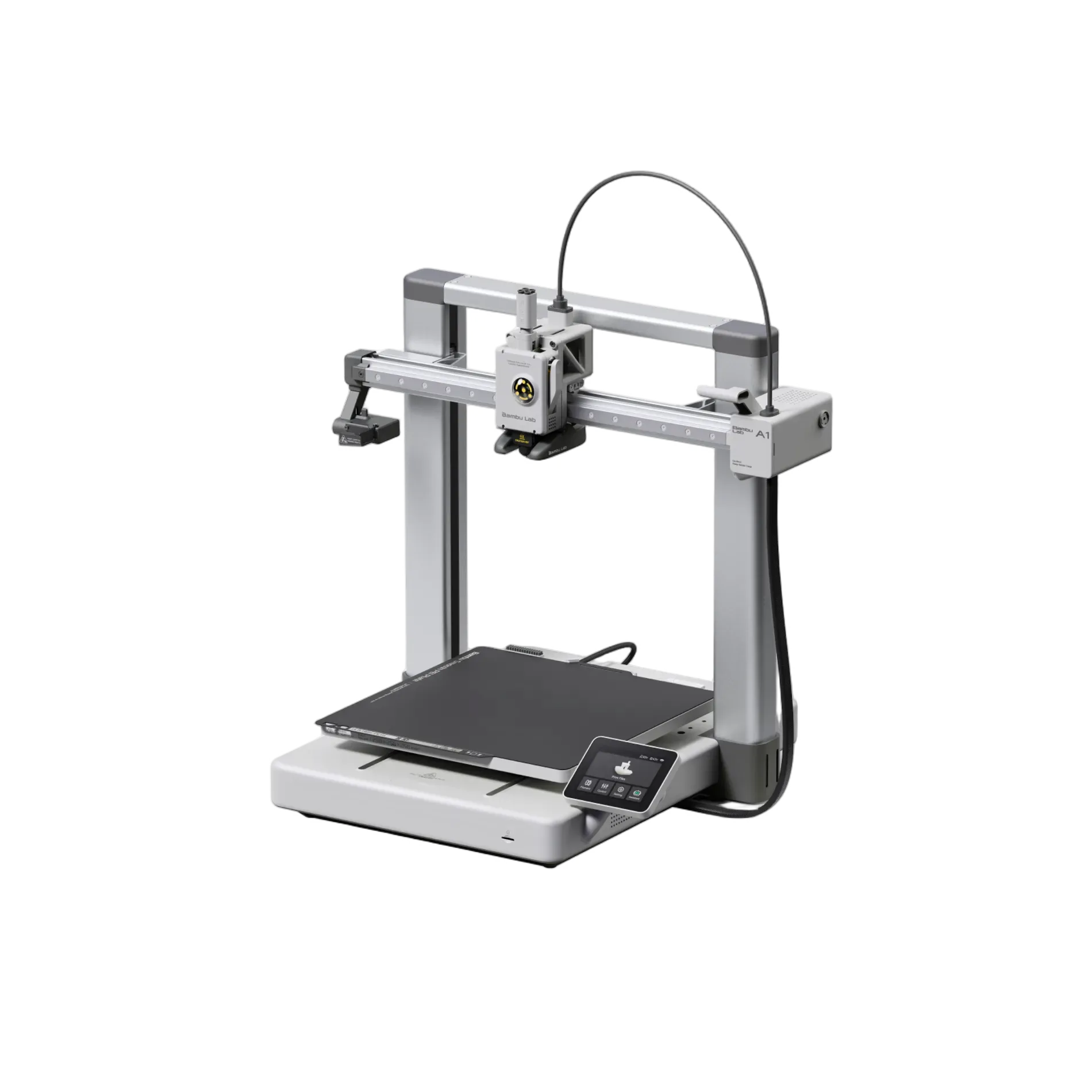
The Bambu Lab A1 has a 256 x 256 x 256 mm build volume, the same as Bambu Lab’s CoreXY X1 and P1 machines. It shares its tool head with the A1 Mini: a tool-free quick-swap nozzle that reaches 300°C, a filament cutter, active flow-rate compensation, and tangle and odometry sensing. At its $399 launch price it cost $100 more than the A1 Mini. What that $100 buys is the bigger bed.
| Spec | Bambu Lab A1 |
|---|---|
| Build volume | 256 x 256 x 256 mm |
| Max nozzle temperature | 300°C |
| Max bed temperature | 100°C (Bambu Lab spec) |
| Rated speed / acceleration | 500 mm/s / 10,000 mm/s² |
| AMS lite capacity | 4 spools |
Performance breakdown
I haven’t run an A1 on my own bench, so this Bambu Lab A1 review is built from eight independent video reviews, including this A1 test video. Every finding below comes from their footage and measurements, grouped into the eight areas that follow.
Printing quality
Reviewers broadly agree print quality is near the top of the market. Aurora Tech ranked it among its top three to five printers, and Mark Spurrell found it comparable to the X1 Carbon at about a third of the price. CNC Kitchen’s tolerance test came free down to a 0.2 mm gap, with only slight salmon skin on curved surfaces and minimal ringing at sharp edges.
The flaws are small, but they exist: 3D Printing Nerd saw artifacts under overhangs and uneven sheen from speed changes, Teaching Tech saw filament clumps and light stringing on a helicopter model, and Adam Savage’s Tested saw rougher tops on tall towers printed at full speed.
Score: 8.5/10 · On our review scoring, printing quality 8.5 sits between 8: Very good print quality, minimal imperfections and well-defined details. (Surface Finish: Very Good, Detail Accuracy: Very Good) and 9: Excellent print quality, high precision, and smooth surfaces
⚠ Estimate: the evidence sits between two bands, so the half point is a judgement call.
- “it’s not the fastest but the print quality is one of the best … it’s actually in the top five or even the top three” — Aurora Tech
- “the tolerance pieces are free down to 0.2 mm gap … the only thing I was able to spot is a tiny bit of salmon skin on curved but smooth surfaces” — CNC Kitchen
- “despite the fact that the A1 costs about a third of the price the print quality you can get is actually pretty comparable” — Mark Spurrell
- “this one had a few artifacts where clumps of filament seemed to be stuck to the surface. There was also a little bit of stringing in some of the openings” — Teaching Tech
- “if you look under the chin it’s got some artifacting” — 3D Printing Nerd
Ease of use
The gantry bolts onto the base, so the A1 needs more assembly than other Bambu Lab printers, but it’s colour-coded. Teaching Tech timed it at about 10 to 15 minutes, and CNC Kitchen had it running in under half an hour. Calibration covers vibration compensation, noise cancellation, bed levelling and Z offset, and Just Print says it runs unattended in about 7 minutes. 3D Printing Nerd said Bambu Lab ‘absolutely nail that first run experience’, and FauxHammer called it ‘the only place you should start’ if your hobby is printing rather than printers.
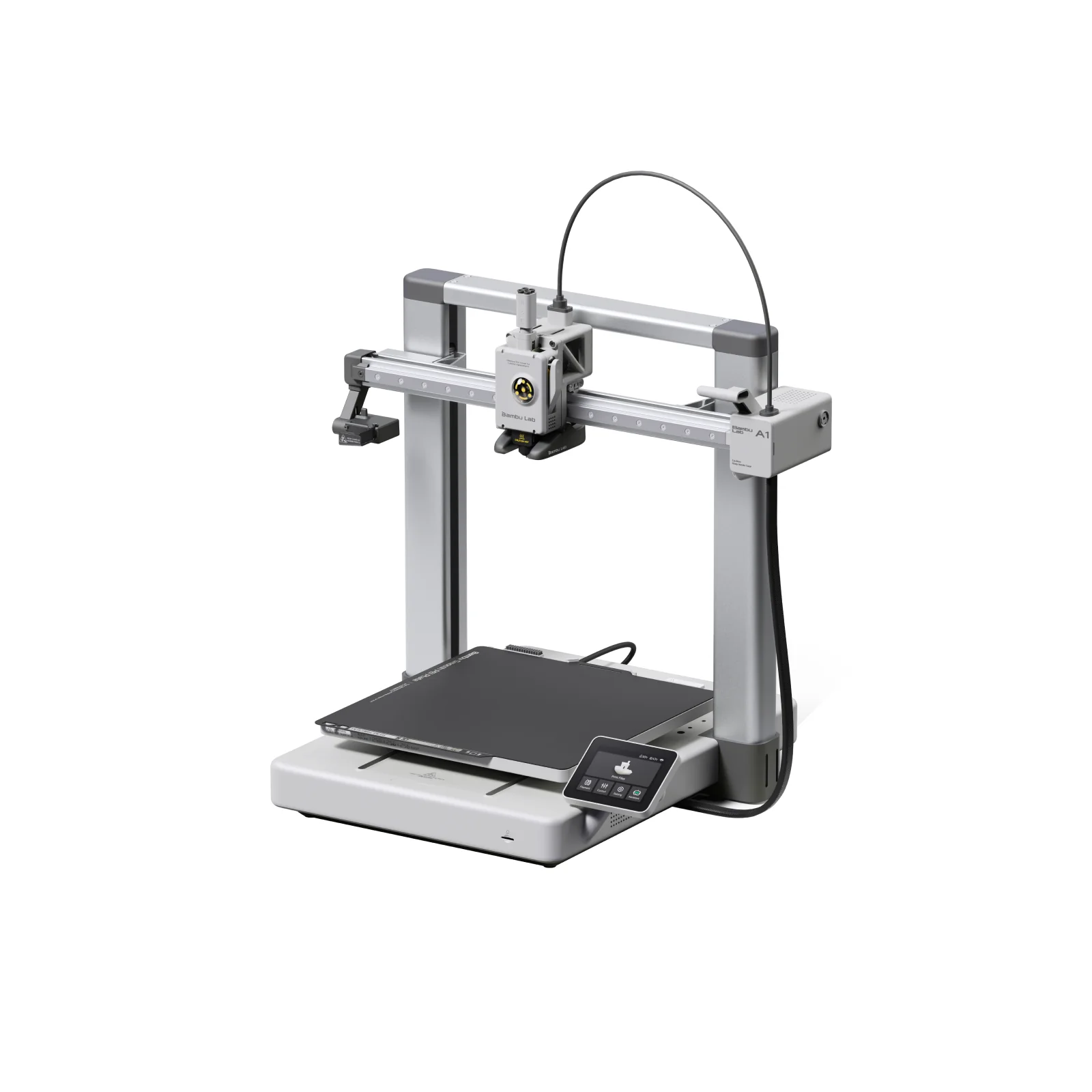
FauxHammer found the touchscreen more intuitive than the pricier P1 series’ screens. When something goes wrong, the printer either tells you what to do or shows a QR code linking to an online fix.
The complaints are small. Mark Spurrell called the camera almost useless at about one frame per second, Teaching Tech found the AMS lite slides around when you load filament, and Just Print needed one retry during the first filament load. If you plan to watch prints from another room, I’d treat that camera as a real limit.
Score: 9/10 · On our review scoring, ease of use 9 means: Extremely easy setup, intuitive interface, no calibration issues. (Setup Time: <20 minutes, Calibration Process: No issues, User Interface: Very intuitive)
- “all up around 10 to 15 minutes of assembly … everything is hands off and automatic” — Teaching Tech
- “it’s more involved than on any other Bambu Lab printers but easy to do and you’ll have the machine up and running in less than half an hour” — CNC Kitchen
- “it’s going to do vibration compensation and then motor noise cancellation and it’s going to take about 7 minutes” — Just Print
- “this UI is much more useful and intuitive than the screens of the more expensive P1 series of CoreXY Bambu printers” — FauxHammer
- “the biggest complaint that I have from a user experience standpoint is actually the camera” — Mark Spurrell
Build quality
Reviewers consistently describe a rigid frame. CNC Kitchen noted extruded aluminium and sheet metal, a linear rail on X, enclosed metal rollers on Y, and twin Z lead screws. Mark Spurrell found no flex at all, and FauxHammer said the body feels completely solid. Two durability concerns came up: Adam Savage’s Tested had the extruder cable snag on the bed and knock the Y axis out of alignment, and Mark Spurrell suspects his occasional layer shifts come from purged filament falling into the bed rails near the nozzle wiper.
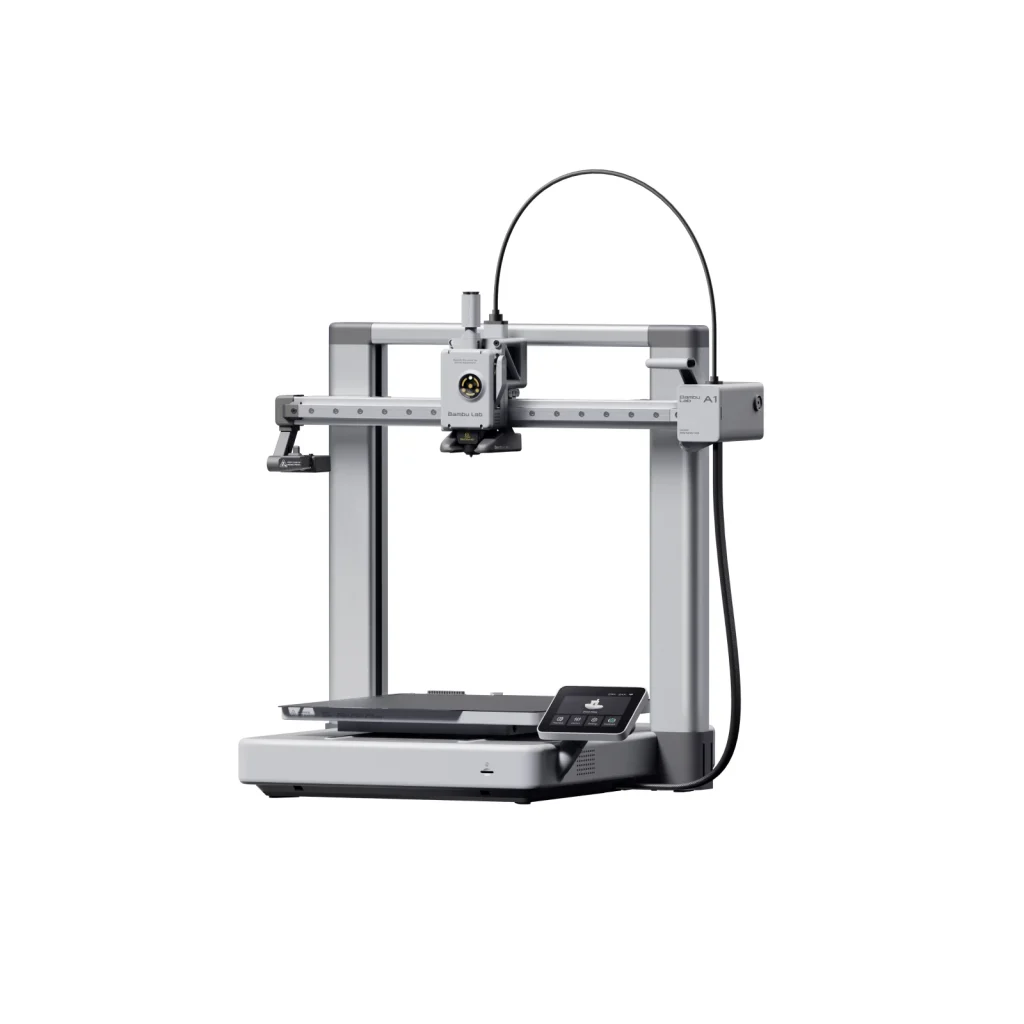
Score: 8/10 · On our review scoring, build quality 8 means: Very solid build, highly durable materials and low vibration. (Frame Material: Very Good, Component Durability: Very Durable, Vibration Resistance: Very Good)
- “together with the extruded aluminium and sheet metal construction this makes a really rigid frame” — CNC Kitchen
- “everything is built very well there’s no flex to the frame at all” — Mark Spurrell
- “this is a fully machined custom body that looks great and feels completely solid” — FauxHammer
- “it’s actually very easy for the cable to catch on the print bed as it’s printing … the print bed got caught in here and there was misalignment along the Y axis” — Adam Savage’s Tested
Printing speed
The quoted figures are 500 mm/s and 10,000 mm/s² acceleration. CNC Kitchen warned you will rarely hit them in practice, though it still called the A1 comparable to other fast machines. Default Benchy prints took 19 minutes for Aurora Tech and about 15 minutes for Just Print. Adam Savage’s Tested found the A1 slower than Bambu Lab’s CoreXY printers, with roughly half their acceleration, and Aurora Tech described its 2 hour 16 minute retraction test as ‘not the fastest’.
Score: 9/10 · On our review scoring, printing speed 9 means: Exceptional print speed, highly efficient. (Print Speed: 300-350 mm/s, Max Speed: >350 mm/s, Default Acceleration: 1800-2000 mm/s², Max Acceleration: >3000 mm/s², Efficiency: Exceptional)
Measured: manufacturer spec max 500 mm/s, 10.000mm/s².
- “I could throw around marketing numbers and tell you that it can reach 500 mm a second on X and Y and accelerations of 10,000 mm a second squared … honestly that’s mostly BS because you will barely reach these speeds” — CNC Kitchen
- “it’s not a CoreXY printer it’s slightly slower, acceleration is half” — Adam Savage’s Tested
- “the Benchy finishes in 19 minutes and the print quality is pretty nice” — Aurora Tech
Community support
The Bambu Handy app lets you browse the MakerWorld model library, and the bundled project links to MakerWorld files through a QR code. MakerWorld is where I publish too: my Samsung S23 StandBy charging dock remix has passed 680 downloads and 200 prints by other people, so I like that the A1 keeps that library a scan away. Bambu Lab also released a printable bracket to mount the AMS lite on top of the printer. Teaching Tech confirmed that, because the bed matches the X1 and P1, third-party build plates for those printers fit the A1.
Score: 8.5/10 · On our review scoring, community support 8.5 sits between 8: Very large and active community, quick responses and many resources. (Online Community Size: 10000-15000 users, Availability of Guides: Very Extensive, Responsiveness in Forums: 6 hours) and 9: Massive community, comprehensive resources and quick support
Measured: Facebook Bambu lab A1 Community 38.6K members; Discord Bambu Lab Official 43K members (9.3K online), brand-wide; Forum forum.bambulab.com 168K members (11K active in 30 days), brand-wide; Facebook Bambu Lab Unofficial User Group 18.6K members, brand-wide, as of 2026-10-12 (counted 2026-10-12).
⚠ Estimate: community size is counted (size alone fits 10); guide quality and forum response time are estimated from reviewers; the evidence sits between two bands, so the half point is a judgement call.
- “the app is really great though I can change settings I can upload prints while I’m away and even just browse the MakerWorld community from here” — Mark Spurrell
- “there’s a QR code you can scan to go to MakerWorld to download the STLs for this and then print them out” — 3D Printing Nerd
- “during the time I had this machine Bambu Lab released a 3D printable bracket to put the AMS on the top of the A1” — CNC Kitchen
- “any third-party beds you’ve bought for those machines … can be used interchangeably between the A1, X1 and P1 printers” — Teaching Tech
Features
The feature list is long for a bed-slinger. Reviewers pointed to:
- Four-colour printing via the AMS lite
- Automatic flow, Z offset and input-shaping calibration
- Motor noise cancellation
- Tool-free nozzle swaps
- Filament tangle and odometry sensing
- A camera, mobile app and desktop slicer
- A LAN-only mode, seen by Just Print in the settings menu
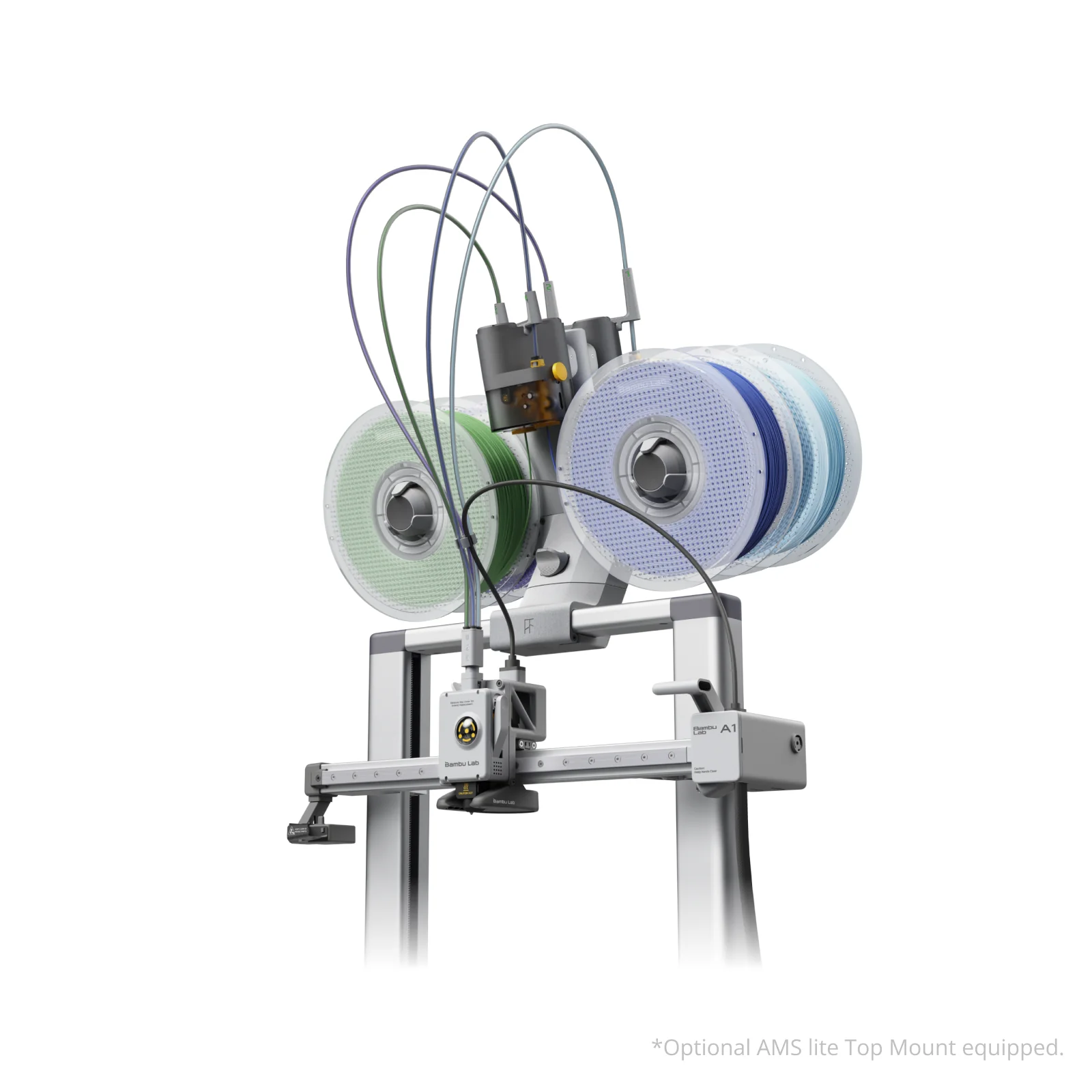
Adam Savage’s Tested noted the full 256 mm bed is usable, unlike the X1 Carbon and P1, which have a keep-out corner. The gaps are an open frame with no enclosure or filtration, and no AI failure detection, which Mark Spurrell missed from his X1 Carbon. For long unattended prints, that missing detection is the gap I’d feel most.
Score: 7/10 · On our review scoring, features 7 means: Advanced features, ample upgrade opportunities. (Available Features: Advanced, Upgrade Options: Ample, Open Source: Yes, External Upgrades: Extensive, Build Volume: 300 x 300 x 300 mm, Multicolor Printing: Yes, App: Yes, Offline: Yes, Ventilation: Yes, Filtration: Yes)
Measured: manufacturer spec: build volume 256x256x256 mm, multicolour optional, enclosure no.
- “the maximum temperature of the bed is only 80° C so you may not be able to print ABS, ASA or polycarbonate” — Aurora Tech
- “on the A1 you can get the full build volume right out of the box so it actually technically has a slightly larger build volume than the X1C” — Adam Savage’s Tested
- “the other thing that’s really annoying is that it doesn’t know when prints fail it’ll just keep on printing if you don’t stop it” — Mark Spurrell
- “the quietest stepper motors and the toolless quick swap nozzles” — Teaching Tech
Reliability
Mark Spurrell is the only long-term tester, so his numbers are the ones I’d weigh most. He estimates a layer shift on about one print in 20, roughly a 95% success rate, and some of those shifts ruined the print. Because the A1 has no failure detection, failed prints keep running and make a mess. CNC Kitchen printed a large production batch and called multicolour printing remarkably reliable, while Adam Savage’s Tested lost prints to a snagged cable and saw less stability on tall, narrow prints at speed, and suggests a brim or glue stick for those.
The A1’s best-known reliability event came early: the early-2024 heatbed-cable recall. I cover it under customer support below, because how Bambu Lab handled it tells you more about the company than about the printer.
Score: 9/10 · On our review scoring, reliability 9 means: Extremely reliable, minimal print failures. (Success Rate: 85-90%, Consistency: Highly consistent)
- “thankfully it doesn’t happen too often maybe like one in every 20 prints but it is annoying when it does” — Mark Spurrell
- “this is the price that you need to pay for a system that otherwise just works remarkably reliable” — CNC Kitchen
- “a little bit of less reliability when you’re printing really tall objects really quickly” — Adam Savage’s Tested
Customer Support
No reviewer opened a support ticket or measured response times. The best evidence of how Bambu Lab treats owners is the early-2024 heatbed-cable recall. Bambu Lab paused A1 sales and recalled the heatbed cable, which could fail on some units. Owners were told to stop using the printer until a replacement arrived, and Bambu Lab shipped those cables free.
Units sold since sales resumed carry the revised cable. I read that as a company willing to pull a product and pay for the fix. If you buy a used A1, I’d confirm the cable was swapped.
Score: 6/10 · On our review scoring, customer support 6 means: Prompt response, good problem resolution. (Response Time: 12 hours, Problem Resolution: Good)
⚠ Estimate: no reviewer measured a support response time, so the score is estimated from their descriptions; only one reviewer covered this.
- “even when they don’t the printer either tells you what to do or gives you a QR code to scan so you can read something more in-depth about how to fix it online” — FauxHammer
- “so I asked them and they told me it was to keep it safe during shipping” — FauxHammer
Where reviewers disagree
Reviewers split on a handful of points:
- Bed temperature. Aurora Tech and CNC Kitchen give the bed’s maximum as 80°C, but that is the A1 Mini’s limit. Bambu Lab rates the A1’s bed to 100°C, which 3D Printing Nerd also reports. The real obstacle to ABS and ASA is the open frame, not the bed.
- Engineering materials. Aurora Tech and CNC Kitchen say the A1 is not the right choice for ABS, ASA or polycarbonate. 3D Printing Nerd printed an ASA print-in-place model successfully and said the A1 ‘is capable of printing with some advanced materials’.
- Speed. CNC Kitchen says the A1 reaches speeds close to Bambu Lab’s CoreXY siblings. Adam Savage’s Tested says it is slower, with about half the acceleration, and less clean on tall towers at full speed.
- Reliability. CNC Kitchen calls the system ‘remarkably reliable’ after a production run. Mark Spurrell reports layer shifts on about one print in 20 over two months. Adam Savage’s Tested lost prints to a snagged extruder cable.
- Mounting the AMS lite on top. Adam Savage’s Tested prefers it because it saves desk space. CNC Kitchen warns the high centre of gravity could tip the printer, or a bracket could break and damage both units.
- Noise. Adam Savage’s Tested says you can’t tell it is printing from the next room. Aurora Tech measured the high 50s to 60 dB at 6 inches, with the fan the loudest part. CNC Kitchen thinks the noise cancellation is no quieter than the silent stepper drivers other printers already use.
The material and reliability splits matter most to me. If you print ABS, ASA or polycarbonate, I’d go with the majority and look at Bambu Lab’s enclosed P1S instead. It has the same 256 x 256 x 256 mm build volume, and the extra money buys an enclosure with filtration plus CoreXY motion, which brings back the speed and tall-print stability the A1 gives up.
Sum up
I’d recommend the A1 to beginners and busy hobbyists who want to print models rather than tune a machine. It also suits makers who want an affordable multicolour setup for PLA, PETG and TPU, and anyone wanting a second workhorse next to a CoreXY printer, which is how Mark Spurrell uses his. I’d skip it if you mainly print ABS, ASA or polycarbonate and need an enclosure. I’d also skip it if you need failure detection for unattended runs, or if you enjoy modding open-source hardware.
Reviewers called it exceptional value, and Teaching Tech described the AMS lite combo as ‘tremendous value’. One hidden cost is filament for multicolour work: CNC Kitchen’s 51 g multicolour print produced 98 g of purge waste and prime tower. I’d factor that waste into the running cost before buying the combo.
Compared to the A1 Mini, the A1 keeps the same tool head and AMS lite support but moves from the Mini’s 180 mm cube to a 256 mm cube build volume, and Bambu Lab rates its bed to 100°C. That cost $100 more at launch. If you mostly print miniatures, desk gadgets and small functional parts, I’d save the $100. If you print helmets, cosplay pieces, long brackets or full plates of parts in one go, you need the A1’s 256 mm bed.
Compared to the Original Prusa MK4, the A1 matches or beats it on ease of use and print quality, reviewers say, at roughly a third of the ~$1,100 MK4 price in Teaching Tech’s review. What the MK4 still offers is open-source hardware for people who like to mod, the same buyer I’d steer away from the A1. I get the appeal: I converted my Biqu B1 to Klipper, running it on an SKR 1.4 Turbo board with Mainsail as the interface, and finished that conversion in May 2026. Pick the MK4 if the printer itself is your hobby.
Reviewers rate the A1 equal or better than the AnkerMake M5 too, about $700 on sale in Teaching Tech’s review.
Compared to Bambu Lab’s own P1P (about $600 at the time of Adam Savage’s Tested review), the A1 gives up CoreXY acceleration and stability on tall prints. In return it is quieter, has a fully usable bed, and has a friendlier screen, according to FauxHammer. I’d only pay the P1P premium if speed and tall prints matter to you.
Videos
Where to buy it
Buy it from the official Bambu Lab store. We found no listing of the complete printer on AliExpress or Amazon (checked 2026-10-12), so the price below is the official store’s own, checked daily.
Price history: tracking started 12 October 2026. We check the official store daily; the chart appears after the next price reading.
Sources
- Aurora Tech — BambuLab A1, The most advanced standard size 3D printer, 256x256x256 mm³, auto z offset, multicolor
- CNC Kitchen — Bambu Lab A1 Review: Game-Changer or Hype?
- 3D Printing Nerd — The NEW Bambu Lab A1!
- Teaching Tech — Bambu Lab A1 detailed test – ‘Just works’ 3D printing for a great price
- Mark Spurrell — Bambu Lab A1: Long Term Review in Under 5 Minutes!
- FauxHammer — Bambu Lab A1 Review – ARE YOU HAPPY about this?!
- Adam Savage’s Tested — Hands-On: Bambu Lab A1 $400 3D Printer!
- Just Print — Bambu Lab A1 – 3D Printer – First Prints