 TreiD
TreiD
Based on 6 independent video reviews and manufacturer specifications. AdditiveRealm has not physically tested this printer.
Introduction
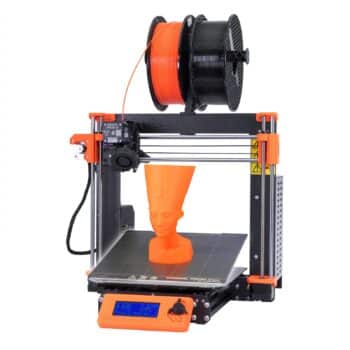
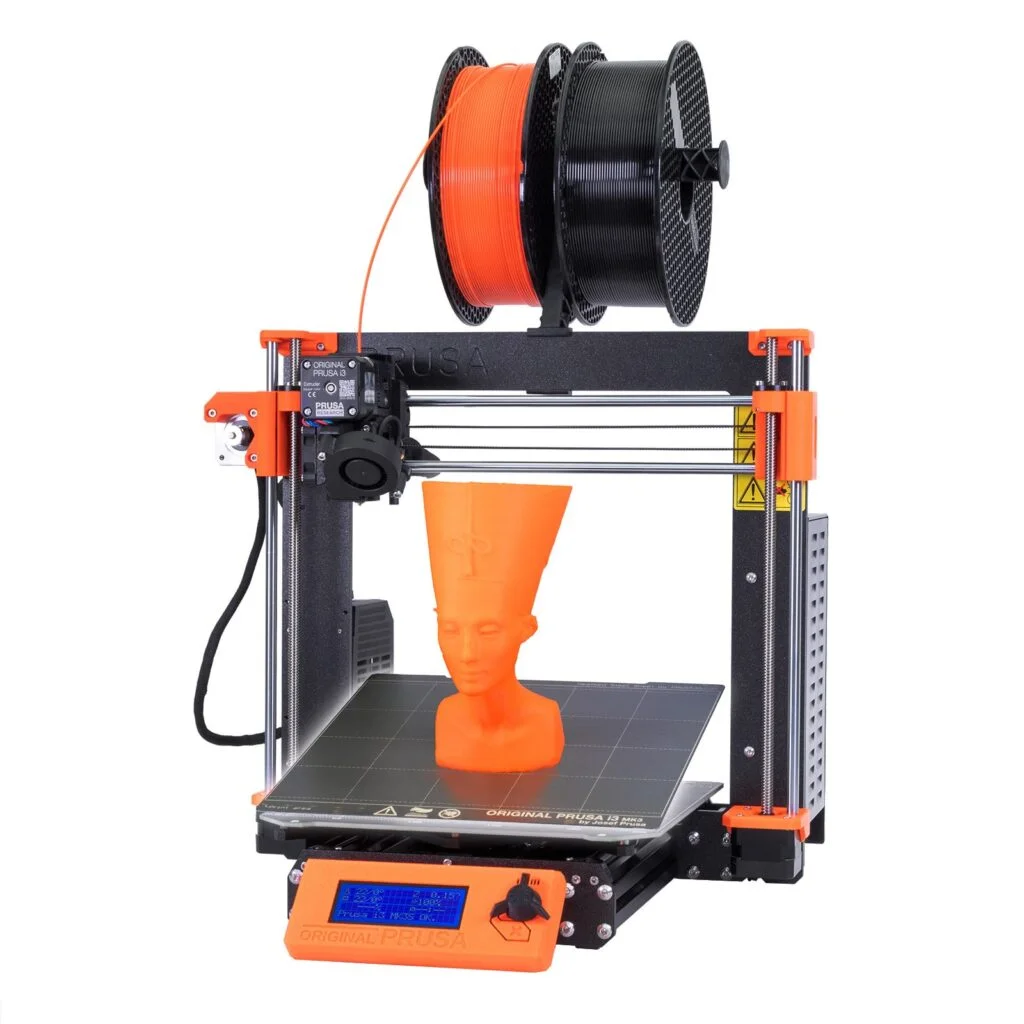
This Prusa i3 MK3S+ review weighs six video reviews against each other and against Prusa’s own spec, and they agree: it is well built and superbly documented, its untuned prints come out good rather than great, and it is slow by current standards. The Prusa i3 MK3S+ is a Cartesian bed-slinger with a 250 x 210 x 210 mm (X x Y x Z) build volume, offered as a kit or pre-built when these reviews were made.
The dependable classic, now showing its age
Reviewers found the MK3S+ well built, superbly documented and loaded with safety features like power-loss recovery and crash detection.
- Printing quality7.5
- Ease of use4
- Build quality8
- Printing speed2
- Community support8
- Features6
- Reliability8
- Customer support5
- Pro: Excellent printed manuals and live online guide
- Pro: Guided self-test and 9-point mesh before each print
- Pro: Power-loss recovery, crash and filament detection
- Con: Slow, 100 mm/s max and about 50 mm/s typical
- Con: Kit build took one reviewer 8 to 10 hours
- Con: Firmware updates need a USB cable and a PC
Consensus review: based on 6 independent video reviews and the maker's specs. AdditiveRealm has not physically tested this printer. How we score Affiliate disclosure
Best price: €999 ≈ $1,112 at Prusa store (EUR) (checked 12 Oct)
Where to buy ↓Prusa’s spec page for the MK3S+ 10th Anniversary Edition lists a direct-drive extruder with Bondtech gears, a V6 hotend rated to 300 °C, a 120 °C heated bed and a magnetic spring-steel sheet with a PEI surface.
Automatic mesh bed levelling uses the SuperPINDA probe, and a filament sensor and power-loss print recovery are also listed. The electronics are an 8-bit EINSY RAMBo board on an ATmega2560 with TMC2130 drivers, which allow sensorless homing without limit switches. The printer is open source and can take Prusa’s optional multi-material upgrade.
The MK3S+ is discontinued. Prusa ended production of the kit on 29 February 2024 and sold the last assembled units while stock lasted, while promising continued support and spare parts. Its successor in Prusa’s line is the Prusa MK4S, and the MK3S+ no longer appears in Prusa’s printer shop.
Reviewers paid or quoted $750–800 for the kit plus about $50 US shipping. Pre-built, Total 3D Printing quotes $999 plus shipping and Daniel Crosslink about $1,100 depending on taxes. Those are the prices in their videos, from when the printer was still on sale; today you buy it used or not at all.
Aurora Tech calls it ‘the gold standard for hobbyist 3D printers’. The six reviews mostly back the build-and-documentation half of that praise.
Daniel Crosslink frames the printer as one for buyers who ‘don’t have the time and don’t want to tinker’, and that is the pitch I’d take most seriously. Daniel Crosslink, Total 3D Printing and Robotechy show the printer assembled and printing. Aurora Tech’s video ends partway through assembly, and Top 3D Shop is a retailer spec overview. Consumer Verge doesn’t show any printed parts and gets at least one hardware detail wrong, so I give its claims less weight.
Performance breakdown
Printing Quality
Two reviewers printed the Benchy from the supplied SD card without tuning, and both judged the result good rather than exceptional. Total 3D Printing called it ‘pretty good’, and Daniel Crosslink called his 0.3 mm faster-profile reprint ‘a pretty nice result’ and expects finer 0.2 or 0.15 mm layers to look better still. The spec gives layer heights from 0.05 to 0.35 mm. Consumer Verge is far more effusive (‘breathtaking accuracy’), but it doesn’t show any printed parts to back that up, so I trust the ‘pretty good’ verdicts from the reviewers who showed their Benchy.
Score: 7.5/10 · On our review scoring, printing quality 7.5 sits between 7: Good print quality, few imperfections. (Surface Finish: Good, Detail Accuracy: Good) and 8: Very good print quality, minimal imperfections and well-defined details
⚠ Estimate: the evidence sits between two bands, so the half point is a judgement call.
- “I guess we can agree that this is a pretty nice result for a first print on this printer. So, I didn’t tune any settings and didn’t create custom profiles yet.” — Daniel Crosslink
- “here’s a time lapse of my very first print. Overall the quality is pretty good” — Total 3D Printing
- “every intricate detail, every fine line comes out with breathtaking accuracy” — Consumer Verge
- Printing resolution 0.05-0.36 mm, 0.4 mm stock nozzle — manufacturer
Ease of use
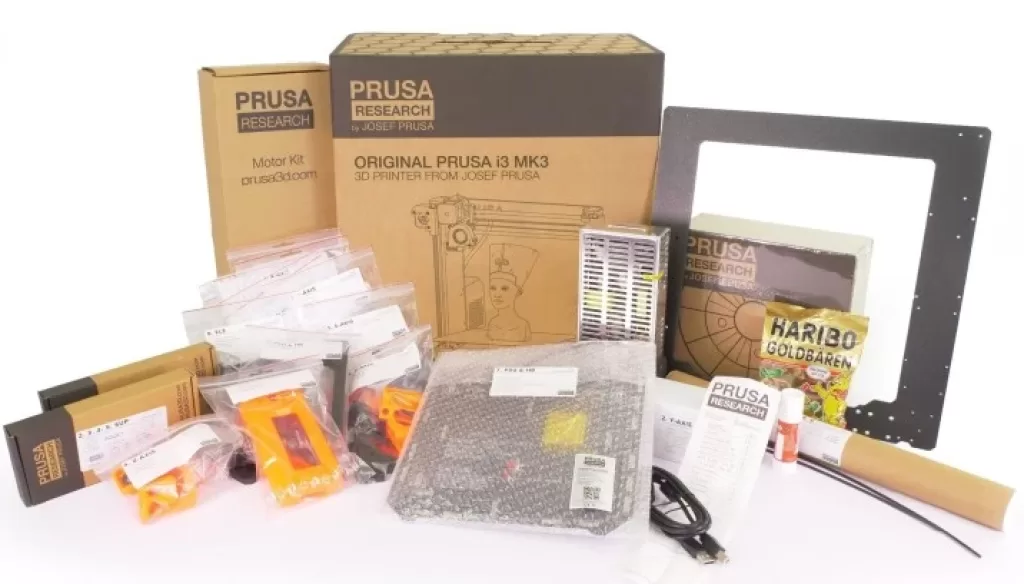
The unboxing makes the build feel organised before you touch a screw. Total 3D Printing found every assembly step packed in its own labelled bag, along with tools, a glue stick and a bag of gummy bears. I like that approach a lot: when a build runs this long, knowing exactly which bag comes next saves real frustration.
The kit is a long project. Daniel Crosslink’s build took 8 to 10 hours, and Total 3D Printing called the extruder ‘by far the most difficult and time-consuming step’ and the wiring ‘a bit of struggling’. On first boot, both were walked through a guided self-test and XYZ calibration. Daniel had never seen anything like it on another printer, and said it took ‘quite a long time’.
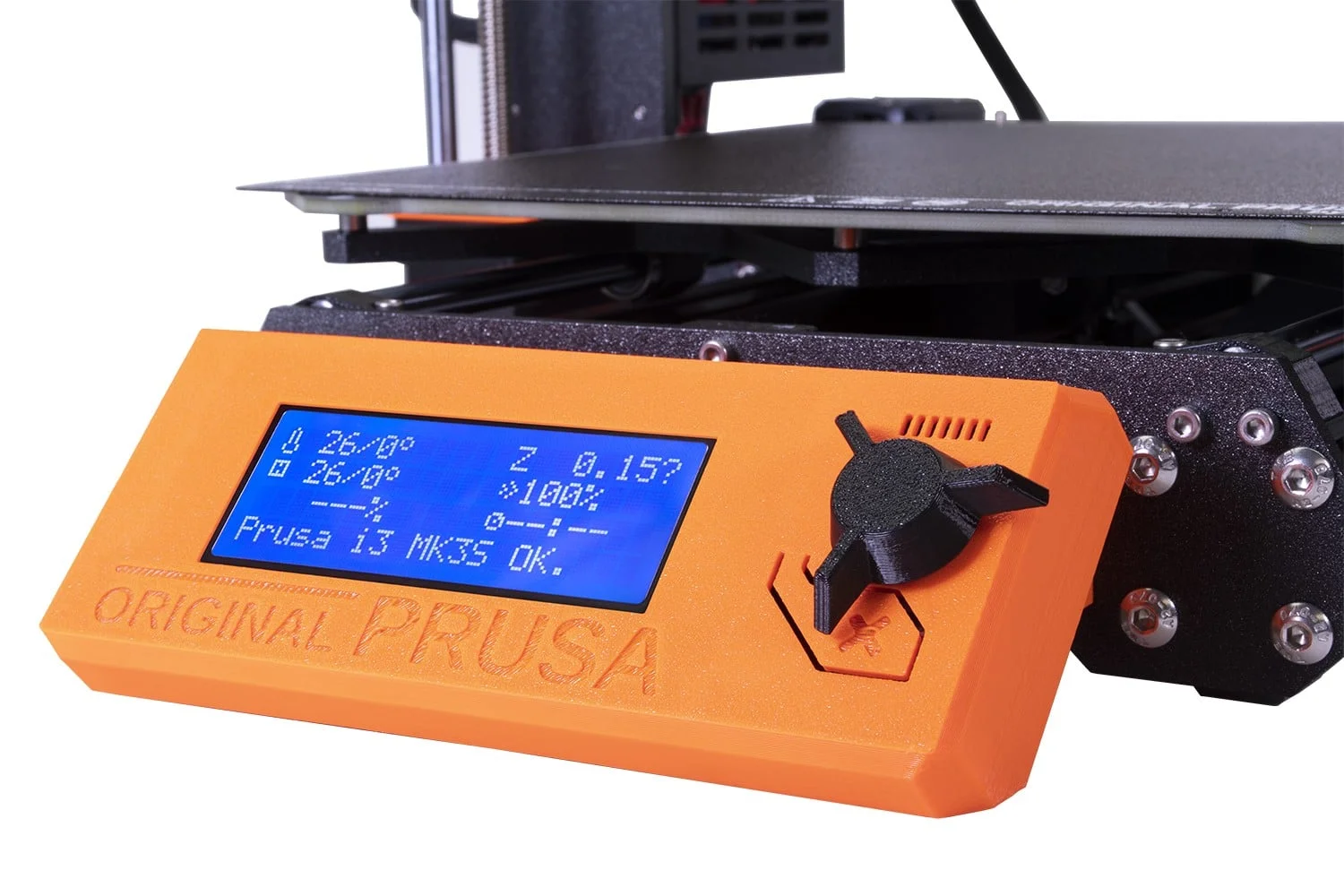
The first-layer height adjustment is still done by hand: you turn the knob and judge the result by feel. Firmware updates need a USB cable and PrusaSlicer on a computer rather than an SD card. The pre-built version skips assembly entirely, but no reviewer timed its out-of-box setup, so I can’t tell you how quick it is.
Score: 4/10 · On our review scoring, ease of use 4 means: Setup takes longer than expected, moderate complexity in calibration. (Setup Time: 80-90 minutes, Calibration Process: Moderately difficult, User Interface: Somewhat confusing)
⚠ Estimate: no reviewer measured setup time, so the score is estimated from their descriptions.
- “it also took 8 to 10 hours. I probably would get the pre-built version if I needed more of these printers.” — Daniel Crosslink
- “as the assembly guide warned, this was by far the most difficult and time-consuming step of the process for me” — Total 3D Printing
- “you don’t want to squish it too much, and if it doesn’t release that easy, then it’s probably just the right distance. So, it’s kind of a feeling that you need to get for this.” — Daniel Crosslink
- “flashing the firmware to this printer isn’t as easy as with other printers nowadays” — Daniel Crosslink
- “moving on to the assembly process, a breeze even for beginners” — Consumer Verge
Build Quality
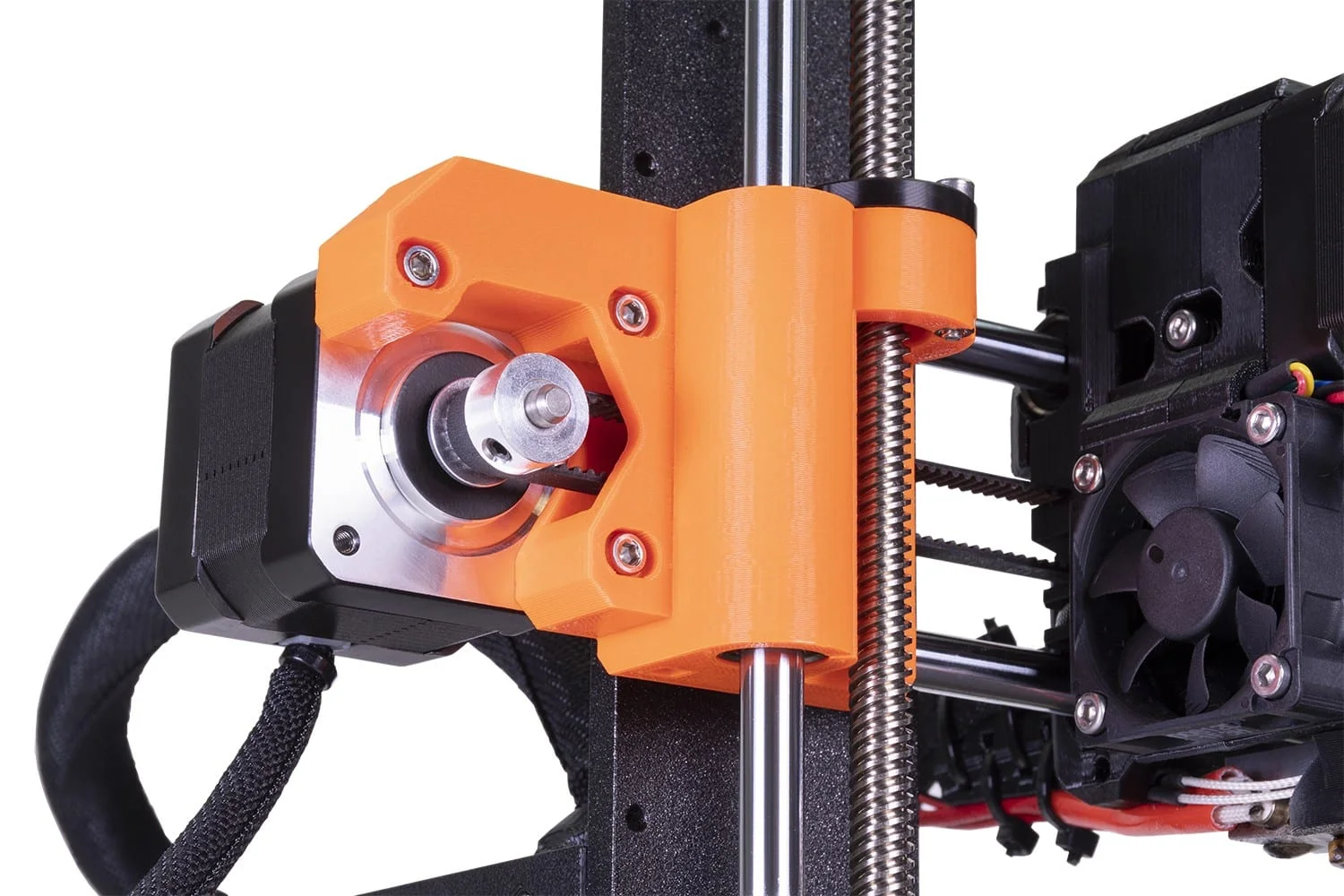
Aurora Tech describes a heavy frame built around six metal parts: about 6 mm thick metal plates and 25 x 25 mm aluminium extrusions. Aurora also highlights a Delta power supply (around $100 retail, against $10–15 for unbranded units) and a thick, heavy six-layer mainboard with three fuses. Total 3D Printing praised the ‘sturdy build’ and credits two threaded Z rods plus two smooth rods for stability. The rest of the structure is 3D-printed plastic parts, which Robotechy sees as a plus because owners can reprint replacements, and I’d agree that matters in a printer you plan to keep.
Score: 8/10 · On our review scoring, build quality 8 means: Very solid build, highly durable materials and low vibration. (Frame Material: Very Good, Component Durability: Very Durable, Vibration Resistance: Very Good)
- “it’s quite a heavy metal frame and the thickness is about six millimeters” — Aurora Tech
- “this is a Delta power supply… compared to a power supply without a brand which only costs around 10 to 15 dollars or a Mean Well which costs 40 dollars, this should be a very high quality PSU” — Aurora Tech
- “one of the things I really like about this printer… is its sturdy build. In addition to having the two threaded rods that control the Z-axis movement, there are an additional two smooth rods to further improve stability” — Total 3D Printing
- “these bits are 3D printed, like all of these, so it’s made by these printers… so you can print new stuff for it” — Robotechy
Printing Speed
Aurora Tech says the MK3S+ is normally run at around 50 mm/s, a pace the 8-bit, 16 MHz processor can keep up with. Daniel Crosslink’s supplied Benchy file was estimated at 2 hours at 0.15 mm layers, which he called ‘very conservative’, and he reprinted it on a faster 0.3 mm profile at the cost of coarser layers. No reviewer measured acceleration, so that figure is simply missing. If speed matters to you, that modest pace and the 8-bit board are why I’d point you to newer machines instead.
Prusa quotes 200+ mm/s for travel moves, which are not print moves, so it does not lift the 100 mm/s print-speed figure in our database. Prusa’s own answer to the speed gap is the MK3.5 upgrade, a 32-bit xBuddy board with Input Shaper and Pressure Advance. Prusa claims it makes an MK3S+ up to two times faster, with gains of 1.1x to 2.2x depending on the model printed.
Score: 2/10 · On our review scoring, printing speed 2 means: Very slow print speed, low efficiency. (Print Speed: 50-60 mm/s, Max Speed: 100-150 mm/s, Default Acceleration: 500-600 mm/s², Max Acceleration: 1000-1200 mm/s², Efficiency: Very Poor)
Measured: manufacturer spec max 100 mm/s.
- Printing speed max 100 mm/s — manufacturer
- “it’s a bit slow, but since we normally print at around 50 millimeters per second, an even slower processor should be able to handle the G-code commands” — Aurora Tech
- “it says on the SD card that this is going to take 2 hours, which is probably quite long for a Benchy, but very conservative settings, 0.15 mm” — Daniel Crosslink
Community Support
Documentation is the standout: Aurora Tech rates the printed manuals the best it has seen, and Total 3D Printing points to Prusa’s online assembly guide, which is kept up to date and carries user comments with extra tips. Consumer Verge describes an active forum and abundant resources. The printer is open source and works with PrusaSlicer, Cura, SuperSlicer, Simplify3D and OctoPrint. No reviewer measured community size or forum response times, so I’d treat the forum claim as unconfirmed.
Score: 8/10 · On our review scoring, community support 8 means: Very large and active community, quick responses and many resources. (Online Community Size: 10000-15000 users, Availability of Guides: Very Extensive, Responsiveness in Forums: 6 hours)
Measured: Facebook Prusa i3 mk3 & mk4 users group 46.4K members; Discord prusa3d 13.6K members (3.1K online), brand-wide (counted 2026-10-12).
⚠ Estimate: community size is counted (size alone fits 10); guide quality and forum response time are estimated from reviewers.
- “the assembly guide is also available online. This online version is always fully up to date and there are comments from people on additional tips and tricks that they found useful during their assembly process” — Total 3D Printing
- “these are pretty much the best 3D printing manuals I’ve ever seen” — Aurora Tech
- “it’s part of a thriving community with an active online forum and abundant support resources” — Consumer Verge
- Open source, compatible with Cura, PrusaSlicer, Simplify3D, Slic3r, SuperSlicer, OctoPrint — manufacturer
Features
The safety and convenience features are strong, and I’d weigh them heavily. They include 9-point mesh levelling before every print, a filament sensor, crash detection that logs skipped steps, and power-loss recovery. Daniel Crosslink bought both smooth and textured removable magnetic sheets.
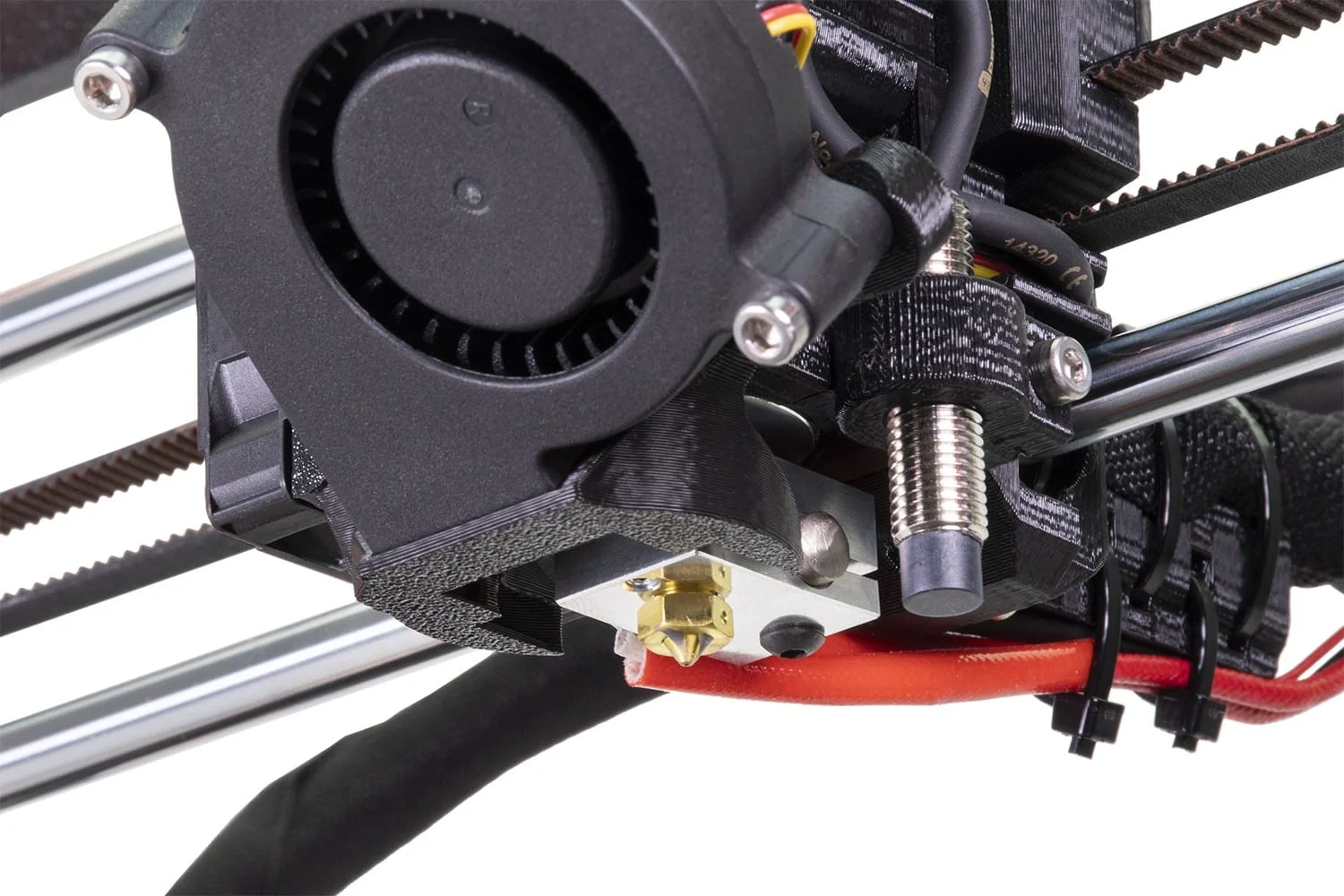
In Prusa’s lineage the MK3S+ sits between the MK3S and the MK4 series. Prusa’s November 2020 launch update lists what the plus added: the temperature-independent SuperPINDA probe, metal bearing clips on the Y axis, a reinforced X-end, and an extruder with a slightly altered filament path for flexible materials. The same update names a redesigned filament-sensor lever, an idler door that opens wider and a fan shroud with two attachment points. Prusa itself calls the SuperPINDA gain over the MK3S ‘fairly minor’, so I read the MK3S+ as a late refinement of a mature i3 design rather than a new printer.
The electronics show that age. Daniel Crosslink notes that Prusa’s own Mini already has a newer mainboard than the 8-bit EINSY RAMBo, and the MK4S that replaced this line runs on Prusa’s 32-bit xBuddy electronics. The filament sensor is an IR sensor that also handles filament autoloading.
Upgrades include the optional multi-material unit, which handles up to five filaments. The reviews cover the MMU2S, and Prusa’s MMU3 compatibility page lists the MK3S+ as compatible with the current MMU3, all parts included. The printer ships with a 0.4 mm nozzle, and 0.25, 0.6 and 0.8 mm nozzles are supported, while the 250 x 210 x 210 mm volume is mid-sized.
For connectivity it has an SD card slot, a USB port and a connector for an optional Raspberry Pi Zero W. It has no webcam, chamber heating or air filtration. An enclosure is a separate purchase from Prusa rather than part of the printer, so if you plan to print ABS or ASA, budget for one; that’s a trade-off to plan for, not a flaw.
Score: 6/10 · On our review scoring, features 6 means: Features meet industry standards, some upgrade opportunities. (Available Features: Standard, Upgrade Options: Some, Open Source: Yes, External Upgrades: Good, Build Volume: 250 x 250 x 250 mm, Multicolor Printing: Yes, App: Yes, Offline: Yes, Ventilation: Yes, Filtration: No)
Measured: manufacturer spec: build volume 210x210x250 mm, multicolour optional.
- “another really great feature is the crash detection which alerts you if any of your motors skip… another feature that comes in really handy is the power failure backup” — Total 3D Printing
- “the unique Multi-Material Upgrade 2S system for printing with up to five filaments at the same time” — Top 3D Shop Inc.
- Printing volume 210x210x250 mm, connection SD card, webcam no, air filtration none, multicolor optional — manufacturer
Reliability
None of the six video reviews behind this Prusa i3 MK3S+ review tracked a success rate over time, so everything here rests on short-term reports. Total 3D Printing’s first Benchy succeeded, and it credits the per-print calibration with ‘continual reliability’. Daniel Crosslink’s first Benchy failed while he was away at lunch, but it worked after he redid calibration and cleaned the sheet with alcohol.
Robotechy had prints slipping because of grease left on the sheet. An isopropanol wipe before every print fixed it, after which the family printed brackets, filament holders and a set of nine interlocking drawers. I’d make that wipe a habit from day one.
Score: 8/10 · On our review scoring, reliability 8 means: Very reliable, rare issues with prints. (Success Rate: 80-85%, Consistency: Highly consistent)
⚠ Estimate: no reviewer measured a success rate, so the score is estimated from their descriptions.
- “the auto calibration, which ensures a near perfect first layer every print and continual reliability” — Total 3D Printing
- “this is what you get if you’re leaving the printer for lunch break. Let’s do this one more time, but this time I’m going to clean the surface a bit with alcohol.” — Daniel Crosslink
- “it would slip over the place because of the grease from the prints before, so we use some of this isopropanol… and we just get a wipe and just wipe it down before every print” — Robotechy
Customer Support
None of the six reviewers contacted Prusa’s support team, so response times and problem resolution are unverified. What reviewers did see was supportive: order fulfilment matched the quoted 3–4 week lead time, and damaged outer packaging still protected every part. The printed handbook also covers what to do when a self-test fails.
Score: 5/10 · On our review scoring, customer support 5 means: Reasonable response time, average problem resolution. (Response Time: 12-24 hours, Problem Resolution: Average)
⚠ Estimate: no reviewer measured a support response time, so the score is estimated from their descriptions; only one reviewer covered this.
- “if this or any other tests fail, you can consult the handbook that comes with the printer to see how to resolve the issue” — Total 3D Printing
- “I received a confirmation email telling me my order had shipped exactly three weeks after placing my order and it was on my doorstep five days after receiving that email” — Total 3D Printing
Where reviewers disagree
- Assembly difficulty: Consumer Verge calls assembly ‘a breeze even for beginners’, though it concedes newcomers ‘might encounter a few challenges’. Daniel Crosslink spent 8 to 10 hours on the kit, and Total 3D Printing called the extruder ‘by far the most difficult and time-consuming step’ and the wiring a struggle.
- Print quality: Consumer Verge describes ‘breathtaking accuracy’ and ‘silky smooth surfaces’ without showing test prints. The two reviewers who showed untuned Benchy results were more measured: Total 3D Printing called it ‘pretty good’, and Daniel Crosslink called it ‘a pretty nice result for a first print’.
- First-print adhesion: Total 3D Printing’s first Benchy succeeded straight away. Daniel Crosslink’s first Benchy failed until he recalibrated and cleaned the sheet with alcohol. Robotechy had prints slipping from grease until it wiped the sheet with isopropanol before every print.
- Levelling effort: Consumer Verge says the bed-levelling sensor ‘takes the hassle out of leveling’. Daniel Crosslink found that first-layer height still had to be set by hand with the knob, and called it ‘a feeling that you need to get’.
- Display: Consumer Verge praises a ‘touchscreen interface’. Prusa specifies an LCD with a rotary encoder, and Daniel Crosslink describes adjusting settings by turning the knob. The manufacturer spec stands.
Sum up
I’d recommend this printer to buyers who value a proven, well-documented and repairable machine over raw speed. That includes hobbyists, makers and schools who want to understand their printer, and anyone happy to build the kit as a learning project. Robotechy, a family setup, recommends it for anyone ‘who just wanted to start 3D printing’, and Daniel Crosslink pitches it at people who want results without endless tinkering.
I’d skip it if print speed matters, or if you want Wi-Fi, an app or a camera. If you plan to print a lot of ABS/ASA, factor in Prusa’s separately sold enclosure, since the printer itself comes with no enclosure or filtration.
Prusa no longer sells the MK3S+ new, so the $750–1,100 reviewers paid is history. In 2026 the real routes are a used unit or, if you already own one, one of Prusa’s upgrade kits, which take an MK3S+ directly to the MK3.5S or the MK4S. Used, I think it’s still worth it for a documented, repairable bed-slinger, provided you run the built-in self-test and check the PEI sheet before paying, because none of the reviewers tracked long-term wear. Prusa still promises spare parts, which helps a used buyer.
For a new printer, the MK4S is the one to look at: Prusa’s shop lists it at €719 as a kit and €999 assembled (checked 12 October 2026). For owners, I’d price the MK4S upgrade kit against that and take the kit only if it comes in clearly cheaper.
Daniel Crosslink compares it with the Creality Ender 3 V2, which starts around $200, but says his upgraded unit cost closer to $600–700 and needed far more time and know-how to match the Prusa’s results. Current CoreXY machines such as Bambu Lab’s P1S are designed around much higher speeds, so I’d compare one with the MK4S before you commit. None of the six reviewers behind this Prusa i3 MK3S+ review tested the P1S or an MK4-series printer alongside it.
Videos
Where to buy it

Price alert
Sources
- Aurora Tech — PRUSA i3 MK3S+ 3D Printer Complete Assembly Guide, Every Detail Covered
- Daniel Crosslink — MY FIRST PRUSA i3 MK3S+
- Total 3D Printing — Prusa i3 MK3S+ Review and Unboxing
- Top 3D Shop Inc. — Original Prusa i3 MK3S+ Overview: Upgrade of The Best 3D Printer in 2019 (All3DP)
- Consumer Verge — Prusa i3 MK3S+ 3D Printer Review
- Robotechy — Prusa Original i3 MK3S+ Review | 3D Printing on the Prusa
- Prusa Research — Original Prusa i3 MK3S+ 10th Anniversary Edition (product and spec page)
- Prusa Blog — Goodbye, MK3! The end of an era is close… or is it?
- Prusa Research — Original Prusa 3D printers shop
- Prusa Blog — November 2020 Update: Original Prusa i3 MK3S+ and MINI+ now shipping
- Prusa Knowledge Base — MMU3 Compatibility
- Prusa Blog — Original Prusa MK3.5 Upgrade is here: Make your MK3S/+ two times faster!
- Prusa Research — Original Prusa MK4S 3D Printer kit (product page, served at the old MK3S+ address)
- Prusa Knowledge Base — Prusa Printer Upgrades